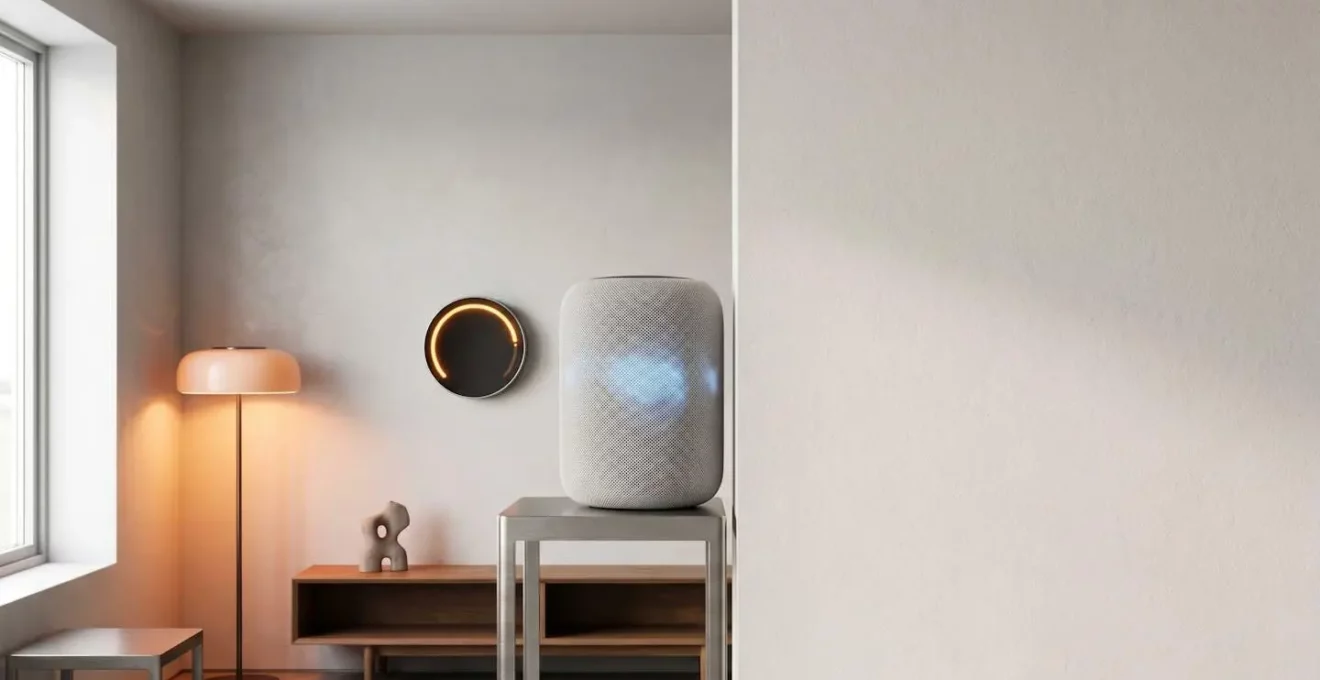
You’ve experienced it. You ask your voice assistant to turn on the living room lights, and after a painful pause, it replies, “Sorry, I’m having trouble connecting.” Or your “Welcome Home” routine, which is supposed to adjust the thermostat and turn on the hall light, works only half the time. For many UK families, the promise of a seamless smart home has dissolved into a frustrating collection of expensive, disobedient gadgets. The common advice—”just buy everything from one brand”—is impractical and often doesn’t even solve the core issues.
The problem isn’t that your smart bulb is “dumb.” The problem is that we’ve been taught to focus on the devices themselves, the shiny objects we can buy. We treat building a smart home like shopping, when we should be treating it like architecture. The real key to a responsive, reliable, and secure smart home lies not in the gadgets, but in the invisible infrastructure that underpins them: the communication protocols, the network design, and the location of the processing logic.
This guide shifts the focus from the “what” (which bulb to buy) to the “how” and “why.” We will dissect the common points of failure in a fragmented smart home and provide a blueprint for building a cohesive system from the ground up. By understanding the system’s architecture, you can make informed decisions that eliminate lag, ensure devices speak the same language, and create a smart home that genuinely simplifies your life, rather than adding another layer of frustration to it.
To navigate this complex but crucial topic, this article is structured to address the most pressing challenges you face. We will explore everything from device compatibility and automation to security and the choice between different system architectures, providing a clear path toward a smarter, more reliable home.
Summary: The Architect’s Blueprint for a Cohesive Smart Home
- Why Your Smart Bulbs Refuse to Talk to Your Thermostat Despite Both Being “Smart”?
- How to Set Up Cross-Platform Automation Without Coding Skills?
- Matter, Zigbee, or Z-Wave: Which Protocol Future-Proofs Your Smart Home?
- The Network Segmentation Mistake That Exposes Your Entire Smart Home to Hackers
- How to Reduce Smart Home Lag from 3 Seconds to Instant Response?
- Local or Cloud Processing: Which Hub Architecture Survives Internet Outages?
- Why Does Samsung’s Battery Protection Work Differently from Apple’s Approach?
- Home Hub Showdown: Which Controller Manages 50+ Devices Without Crashing?
Why Your Smart Bulbs Refuse to Talk to Your Thermostat Despite Both Being “Smart”?
The single greatest source of frustration in a smart home is the illusion of universal compatibility. You buy a “smart” device, assuming it will work with your other “smart” devices, only to find they ignore each other completely. This isn’t a defect; it’s a design problem rooted in a fragmented market. Your devices are like tourists who each speak a different language—Zigbee, Z-Wave, Wi-Fi, Bluetooth, Thread—and without a translator, they can’t communicate. This problem is widespread, with industry data showing that over 50% of users face frequent connectivity issues, a direct symptom of this protocol chaos.
For years, manufacturers created their own walled gardens, forcing you into a single ecosystem. The logos “Works with Alexa” or “Hey Google” are merely bandages, offering cloud-to-cloud integrations that are often slow and unreliable. The real solution is a universal language at the device level, a role the new protocol ‘Matter’ was designed to fill. However, achieving this universal translation is a complex process, not an overnight switch.
Case Study: The Rocky Rollout of a Universal Language
After its launch in late 2022, the Matter protocol was heralded as the saviour of the smart home. However, as a recent analysis on its two-year progress highlights, the transition has been challenging. While Matter now supports many device types, a vast number of existing smart devices in people’s homes are not Matter-compatible. This creates a messy “transition period” where homeowners have a mix of new devices that speak Matter and older ones that don’t, perpetuating the very compatibility problem Matter was meant to solve. This demonstrates that simply looking for a logo isn’t enough; understanding the underlying protocol is key.
The takeaway for a home architect is clear: you cannot assume compatibility. You must intentionally choose devices that speak a common language or, more realistically, select a central “translator”—a multi-protocol hub—that can manage conversations between them all. Without this central piece of infrastructure, your smart home will remain a collection of siloed gadgets, not a cohesive ecosystem.
How to Set Up Cross-Platform Automation Without Coding Skills?
The power of a smart home isn’t in controlling a single bulb with your phone; it’s in creating automations where devices work together. For instance: when your smart lock registers you’ve left, it should automatically arm the security system, turn off all lights, and lower the thermostat. In the past, creating such sophisticated, cross-platform scenes required complex coding or brittle IFTTT applets. Today, this logic can be built visually, without writing a single line of code.
Modern smart home hubs (whether software like Home Assistant or hardware like Hubitat) offer powerful visual automation editors. These tools allow you to create “if-then” recipes using simple drop-down menus and graphical blocks. You define a trigger (e.g., “If a motion sensor detects movement”), add conditions (e.g., “and it’s after sunset”), and then define one or more actions (e.g., “then turn on the hallway light to 50% brightness”). This approach transforms programming into a simple, logical puzzle.
As the interface above suggests, the focus is on intuitive interaction, not complex syntax. By dragging and dropping triggers and actions, you are effectively designing the “brain” of your home. This is where you move beyond simple voice commands and start building a home that anticipates your needs. You can create a “Movie Night” scene that dims the lights, closes the blinds, and turns on the TV with a single tap, orchestrating devices from a dozen different manufacturers seamlessly.
Your Action Plan: Creating Your First No-Code Automation
- Choose your platform: Select Amazon Alexa (for wide compatibility), Google Home (for voice recognition), or Apple HomeKit (for privacy) based on your main devices.
- Start with lights: Smart bulbs offer instant visual feedback, making it easy to see if your automation is working correctly without any complex wiring.
- Create a time-based routine: Begin with a simple schedule, like setting lights to turn on at sunset, to familiarise yourself with the hub’s interface.
- Add a trigger-based automation: Use a motion sensor or your phone’s location (geofencing) to trigger a “Welcome Home” scene.
- Test individually: Ensure each single trigger and action works reliably on its own before combining them into complex, multi-device scenes.
Matter, Zigbee, or Z-Wave: Which Protocol Future-Proofs Your Smart Home?
Choosing a communication protocol is one of the most critical architectural decisions you will make. It dictates which devices you can use, how reliable your network will be, and whether your investment will become obsolete in a few years. For years, the choice was primarily between Zigbee (known for its wide device support and maturity) and Z-Wave (praised for its reliability and security focus). Both use low-power mesh networking, meaning devices relay signals to one another, creating a robust network that gets stronger as you add more devices. However, they are not natively compatible with each other or with Wi-Fi.
This is where Matter changes the game. It isn’t a replacement for the underlying technologies like Wi-Fi and Thread (a new low-power mesh protocol). Instead, Matter is an IP-based application layer—a universal language—that runs on top of them. Its primary promise is to allow devices from Apple, Google, Amazon, Samsung, and hundreds of other brands to work together locally, without needing a cloud connection or custom integrations. While its rollout has had teething issues, the industry-wide backing is undeniable. As of 2024, Matter’s ecosystem momentum has grown significantly, with all major platforms now offering support.
So, which should you choose to future-proof your home? The answer is not “one or the other,” but a strategic combination. A truly robust system today will use a multi-protocol hub that supports both legacy devices (Zigbee/Z-Wave) and the future standard (Matter/Thread).
| Protocol | Key Strength | Device Support | Network Type | Future Outlook |
|---|---|---|---|---|
| Matter | Cross-platform compatibility with Apple, Google, Amazon | 41+ product categories, expanding rapidly | IP-based (Wi-Fi, Thread, Ethernet) | Industry-backed standard with biannual updates, certified via CSA |
| Zigbee | Mature mesh network, 20+ years of optimization | Extensive legacy device catalog | 802.15.4 mesh, low power | Stable but legacy; being bridged into Matter ecosystems |
| Z-Wave | Reliable mesh, excellent wall penetration | Strong security device support | Sub-1GHz mesh network | Continues alongside Matter via bridge solutions |
The smart architectural choice is to invest in Matter-certified devices for all new purchases while ensuring your central hub can still control your existing Zigbee and Z-Wave products. This bridges the past and the future, giving you the largest possible device selection without sacrificing long-term compatibility.
The Network Segmentation Mistake That Exposes Your Entire Smart Home to Hackers
As you add dozens of internet-connected devices to your home, you are also adding dozens of potential entry points for attackers. Many low-cost smart devices have notoriously poor security, and a single compromised smart bulb could theoretically provide a backdoor into your entire home network, exposing your computers, phones, and personal files. The common mistake is to connect everything—your work laptop, your kids’ tablets, and your smart thermostat—to the same flat, undifferentiated Wi-Fi network.
This is the digital equivalent of leaving every door and window in your house unlocked. The proper architectural solution is network segmentation. This involves creating separate, isolated virtual networks (VLANs) for different types of devices. At a minimum, you should have three: one for your trusted devices (computers, phones), one for your guests (a Guest Wi-Fi network), and a dedicated, firewalled network for all your “Internet of Things” (IoT) or smart home gadgets. Devices on the IoT network can talk to the internet and to each other, but they are blocked from initiating any contact with your trusted devices.
Setting up VLANs used to be the exclusive domain of IT professionals, but modern prosumer routers (from brands like UniFi, TP-Link Omada, and ASUS) now make it accessible to savvy homeowners. It is a set-it-and-forget-it security measure that provides a powerful layer of defence. The importance of this single step cannot be overstated.
Network segmentation is the single most effective way to protect your home network from IoT-based attacks. Once configured, it requires minimal maintenance and provides defense-in-depth that no amount of device-level security can match.
– State of Surveillance research team, Home Network VLANs: Isolate IoT Devices for Security
If a vulnerability is found in your smart kettle, an attacker might be able to access it, but they’ll be trapped inside the IoT-only network, unable to see or attack your personal laptop or network storage drive. This containment strategy is the hallmark of a professionally designed, secure smart home.
How to Reduce Smart Home Lag from 3 Seconds to Instant Response?
The delay between issuing a command and seeing it executed—known as latency—is a major source of smart home dissatisfaction. When you tap a button on your phone to turn on a light, why does it sometimes take three seconds? The answer, in most cases, is a costly round-trip to the cloud. With most mainstream smart home platforms, your command doesn’t go directly from your phone to the bulb. Instead, it travels from your phone, through your router, to the internet, to a server hundreds of miles away, which then processes the command and sends it back across the internet to your router and finally to the bulb.
This cloud-dependent architecture introduces multiple points of failure and unavoidable delays. Each “hop” adds milliseconds, and any congestion on your local network or the wider internet can turn that into seconds. This is the primary reason your smart home can feel sluggish and unreliable. It’s also why it stops working entirely when your internet connection goes down.
Achieving the feeling of instant response, as visualized in the image above, requires eliminating that cloud round-trip. The solution is local processing. By using a smart home hub that runs its automation logic directly on your local network, the command path is shortened dramatically: phone to hub to bulb, all within the walls of your home. The response is virtually instantaneous because the “brain” of the operation is local. This not only eradicates lag but also enhances privacy and ensures your core automations continue to function perfectly even during an internet outage.
To reduce lag, you must diagnose its source. If only Wi-Fi devices are slow, the problem may be your Wi-Fi network itself (consider a mesh system). But if your entire system feels sluggish, the architectural flaw is likely a dependence on cloud processing. Shifting to a local-first hub is the definitive solution.
Local or Cloud Processing: Which Hub Architecture Survives Internet Outages?
The choice between a local-first or cloud-dependent smart home hub is the defining decision for your system’s reliability and resilience. It’s the difference between a home that works flawlessly 24/7 and one that is at the mercy of your internet service provider. A cloud-dependent hub, common with many mainstream voice assistant platforms, outsources its “thinking” to external servers. While easy to set up, this creates a critical point of failure: if your internet goes down, the hub becomes a paperweight. Voice commands fail, app control ceases, and most automations stop working.
A local processing hub, such as those from Hubitat or a self-hosted Home Assistant setup, keeps all device information, automation rules, and control logic within your home network. This architecture is inherently more robust. Because the commands never have to leave your house, your automations are not only faster but will continue to execute perfectly even if your internet connection is completely severed. Your motion-sensor lights will still turn on, and your scheduled morning routine will still run.
Many platforms now offer a hybrid approach. Apple HomeKit, for instance, strongly prioritizes local control when you have a Home Hub (like a HomePod or Apple TV), but may still reach out to the cloud for certain features or out-of-home control. Understanding where your automations are actually being processed is crucial.
The following table, based on an in-depth smart home integration analysis, breaks down how different architectures behave when the internet fails.
| Control Method | Internet Required | Functionality During Outage | Response Speed | Privacy Level |
|---|---|---|---|---|
| Local Hub (Home Assistant, Hubitat) | No | All automations, sensors, and device control continue working | Instant (no cloud round-trip) | High – data stays on local network |
| Cloud-Dependent (most mainstream hubs) | Yes | Only pre-programmed device routines work; app control and voice commands fail | 2-3 second delay typical | Lower – data processed externally |
| Hybrid (HomeKit with HomePod) | Partial | Basic automations work locally; advanced features require internet | Fast for local, delayed for cloud features | Medium – Apple prioritizes privacy |
| Bridge-Based (Philips Hue Bridge) | Partial | Bridge-stored scenes work; app access requires internet | Fast when using physical switches | Medium – some local processing |
For a truly resilient and reliable smart home, the architectural choice is clear: prioritize local processing. It’s the only way to build a system that you can trust to work, no matter the state of the outside world.
Why Does Samsung’s Battery Protection Work Differently from Apple’s Approach?
You might not think your smartphone’s operating system has much to do with your smart home’s performance, but it can be a hidden and deeply frustrating point of failure. This is especially true for automations that rely on your location, such as “Welcome Home” or “Goodbye” scenes that use geofencing. The reliability of these automations depends entirely on your phone’s ability to let the smart home app run in the background and report its location. Here, the philosophical differences between Android and iOS have a major impact.
Apple’s iOS is a tightly controlled ecosystem. While this means less customisation, it provides a more predictable environment for app developers. HomeKit is deeply integrated into the OS, and its background processes for location tracking are generally protected and reliable. In contrast, the Android ecosystem is fragmented, with different manufacturers implementing their own aggressive battery-saving measures.
Case Study: The Geofence Killer
Android’s aggressive battery management, particularly on phones from manufacturers like Samsung and Xiaomi, is notorious for “killing” apps that it deems are using too much power in the background. As noted in a recent technology review, this frequently causes smart home companion apps (for platforms like SmartThings or Home Assistant) to be terminated without warning. When this happens, the app can no longer report the phone’s location, and your geofencing-based automations completely fail to trigger. The only fix is for the user to manually dive into complex settings and “whitelist” the app, exempting it from battery optimization—a non-obvious step that frustrates countless users.
This isn’t to say one OS is definitively “better” for the smart home, but it highlights a critical architectural principle: your system is only as reliable as its weakest link. In this case, an unrelated setting on your phone can break a core feature of your multi-thousand-pound smart home installation. When troubleshooting, you must consider the entire system, from the cloud servers down to the individual OS settings on every user’s mobile device.
Key Takeaways
- Architect, Don’t Shop: A reliable smart home is a designed system, not a random collection of gadgets. Prioritize the hub, protocol, and network first.
- Local is King: For maximum speed, privacy, and reliability during internet outages, choose a hub that processes automations locally, not in the cloud.
- Secure by Design: Isolate your smart home devices on their own dedicated Wi-Fi network (VLAN) to protect your personal data and computers from potential IoT-based attacks.
Home Hub Showdown: Which Controller Manages 50+ Devices Without Crashing?
As your smart home grows, the demands on its central controller increase exponentially. A simple voice assistant speaker that works fine for a few bulbs will quickly become overwhelmed when tasked with managing 50 or more devices, complex automations, and multiple communication protocols. At this scale, you move from a casual setup to a mission-critical system, and you need an appropriately powerful hub. Recent market research from the US shows a clear trend, with 18% of households now owning six or more devices, indicating that managing larger systems is becoming a mainstream problem.
When you have over 50 devices, the key criteria for a hub become its processing power, memory, and multi-protocol support. A cheap, underpowered hub will lead to missed triggers, delayed responses, and a system that requires constant rebooting. You need a controller that is specifically designed for local processing and can handle the constant traffic from dozens of sensors, lights, and switches without breaking a sweat. Platforms like Home Assistant (running on dedicated hardware), Hubitat, and to some extent Samsung SmartThings, are built for this kind of load.
The choice of hub will be the single biggest factor in the day-to-day performance and stability of a large smart home. It is the central nervous system and brain of your entire operation. Investing in a powerful, local-first, multi-protocol hub is not an upgrade; it is a foundational requirement for any serious smart home installation.
The following table, drawing from a 2024 comparison of popular home automation systems, provides a showdown of platforms capable of handling larger deployments.
| Platform | Device Capacity | Multi-Protocol Support | Local Processing | Automation Complexity | Typical Cost (3-year) |
|---|---|---|---|---|---|
| Home Assistant | Unlimited (hardware dependent) | Matter, Zigbee, Z-Wave, Wi-Fi, Bluetooth | Fully local capable | Advanced (Blueprint system, Python scripting) | £50-200 (hardware only, free software) |
| Hubitat | Optimized for 100+ devices | Zigbee, Z-Wave, LAN protocols | 100% local processing | Advanced (Rule Machine) | £120-150 (one-time hardware cost) |
| Samsung SmartThings | 200+ device support | Zigbee, Z-Wave, Wi-Fi, Matter | Hybrid (requires cloud connection) | Moderate (visual routines) | £70-100 (hub + potential subscription) |
| Google Home | Designed for 50+ devices | Wi-Fi, Matter, Thread (via Nest devices) | Cloud-dependent | Moderate (Google Assistant routines) | £80-120 (hardware, no subscription) |
| Apple HomeKit | Optimized for <50 devices | Wi-Fi, Thread, Matter, Bluetooth | Strong local processing | Good (Shortcuts, visual automations) | £150-300 (requires HomePod/Apple TV) |
Now, armed with an architect’s perspective, you can begin to systematically diagnose and rebuild your own smart home. Start by auditing your existing devices, identifying your system’s current architecture (local or cloud?), and planning your migration to a more robust, cohesive, and truly smart ecosystem.