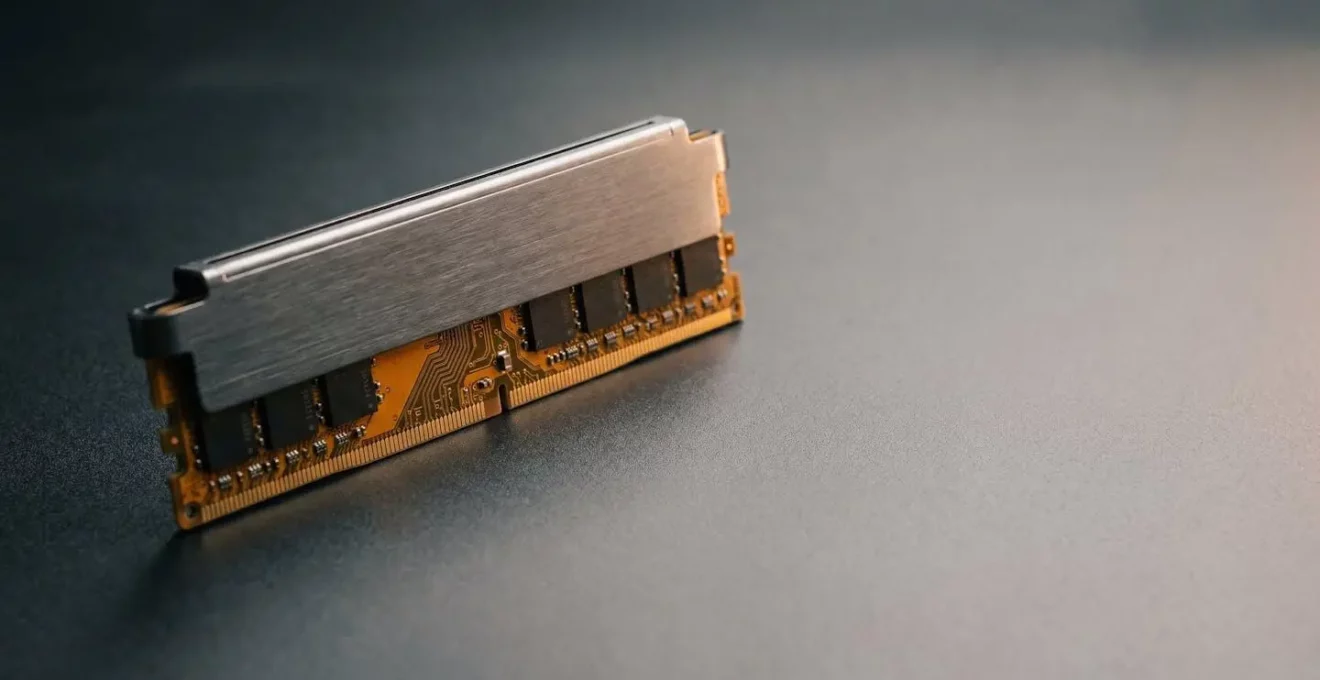
The belief that higher MHz is the ultimate goal in gaming RAM is a costly myth that benefits marketers more than gamers.
- True performance lies in a balance of frequency, tight timings (latency), and dual-channel bandwidth—a combination often overlooked.
- Overspending on raw RAM speed often yields zero gain if your CPU, GPU, or even storage is the real bottleneck in your system.
Recommendation: Focus on the price-to-performance ‘sweet spot’ for your platform (like DDR5-6000 CL30 for modern AMD/Intel builds) and ensure a dual-channel configuration before all else.
For any PC builder, the dilemma is familiar. You’re staring at two RAM kits. One is a DDR5 kit, promising blistering speeds and a “future-proof” label, but it costs nearly double its DDR4 counterpart. The other is a tried-and-true DDR4 kit that seems to offer 95% of the performance for half the price. The marketing tells you that faster is always better, that new technology is the only path forward. Forum posts are a confusing mix of benchmarks showing massive gains in one game and zero difference in another, leaving you more confused than when you started.
This confusion stems from an oversimplification of how memory works. The common advice to “buy the fastest MHz you can afford” or “just get 32GB to be safe” often leads to wasted money and unbalanced systems. The truth is, RAM performance isn’t a single number on a box. It’s a complex interplay of different factors, and understanding them is the key to unlocking real value.
But what if the real key to a high-performance, cost-effective build isn’t just chasing the highest frequency, but mastering the balance between three core pillars: bandwidth, latency, and platform stability? This analyst’s guide moves beyond the marketing hype to dissect why you’re paying a premium for DDR5 and where that money is—and isn’t—translating into tangible gaming performance. We’ll expose the common mistakes that cost builders performance and money, and provide a clear framework for making smarter memory decisions.
This article will break down the critical factors that truly impact performance, from the hidden power of memory timings to the non-negotiable benefits of a dual-channel setup. Follow along to understand how to build a PC that’s not just fast on paper, but genuinely optimized for value and real-world gaming excellence.
Summary: Deconstructing the True Value of PC Memory
- Why Can Slower RAM with Tighter Timings Outperform Faster Loose RAM?
- How to Enable XMP So Your 3600MHz RAM Actually Runs at 3600MHz?
- Two 8GB Sticks or One 16GB: Why Does This Choice Affect FPS by 20%?
- The RAM Speed Mistake That Causes Boot Failures on Ryzen Systems
- When Does Adding More RAM Actually Improve Performance Versus Wasting Money?
- Why Does Your Phone Stutter Despite Having More RAM Than Older Laptops?
- 32GB Now or 16GB with Upgrade Plan: Which Memory Strategy Costs Less?
- How to Build a PC That Stays Relevant for 7 Years with Minimal Upgrades?
Why Can Slower RAM with Tighter Timings Outperform Faster Loose RAM?
One of the biggest misconceptions in the PC building community is that a higher frequency (MHz) is the single most important metric for RAM performance. While frequency represents bandwidth—how much data can be moved at once—it’s only half of the equation. The other, often-ignored half is latency, measured by timings like CAS Latency (CL). Think of it like a highway: frequency is the number of lanes, while latency is the time it takes for a single car to start moving after the light turns green. A wider highway with slow-starting cars can be less efficient than a narrower one where cars react instantly.
This trade-off is why a seemingly “slower” RAM kit can beat a “faster” one. For example, a DDR5-6000 CL30 kit has a true latency of 10 nanoseconds (30 * 2000 / 6000). A DDR5-7200 CL40 kit, despite its higher frequency, has a true latency of 11.1 nanoseconds. In latency-sensitive tasks like gaming, where the CPU is constantly requesting small, critical pieces of data, the lower-latency kit will feel more responsive. This is why many analysts agree that DDR5-6000 CL30 responds faster than DDR5-7200 CL40 in many real-world scenarios, despite the lower frequency number on the box.
This concept becomes even more crucial when comparing memory generations. As the TechsNGames Analysis Team notes in their guide, the nuances can be confusing for buyers. They state:
A DDR5-6400 CL32 has the same 10ns latency as DDR4-3200 CL16, but with double the bandwidth. That’s a crucial point that confuses a lot of buyers.
– TechsNGames Analysis Team, DDR5 RAM For Gaming In 2026: The Complete Guide
This highlights the core value proposition of DDR5: it doesn’t necessarily offer lower latency than high-end DDR4, but it delivers that same responsiveness with a massive increase in bandwidth. The key for a smart builder is finding the sweet spot where both frequency and timings are optimized, rather than overpaying for one metric at the expense of the other.
How to Enable XMP So Your 3600MHz RAM Actually Runs at 3600MHz?
A shocking number of PC builders, especially first-timers, make a costly mistake: they install their expensive, high-speed RAM and assume it’s running at its advertised speed. It isn’t. By default, all DDR4 and DDR5 memory modules boot at a standardized, safe speed set by JEDEC (the industry standards body). That 3600MHz or 6000MHz speed you paid for is an overclock profile, and you have to manually enable it in your motherboard’s BIOS/UEFI.
This feature is most commonly called XMP (Extreme Memory Profile) on Intel platforms and EXPO (Extended Profiles for Overclocking) on modern AMD platforms. Enabling it is usually a one-click process in the BIOS that tells the motherboard to load the manufacturer’s tested speeds, timings, and voltage settings. Without this step, your “fast” RAM is running at a fraction of its potential, and you’ve effectively wasted the premium you paid for high-performance memory.
While often straightforward, sometimes enabling XMP/EXPO can lead to system instability or a failure to boot. This happens when there’s a mismatch between the RAM, the motherboard, and the CPU’s memory controller. As Kingston Technology explains, EXPO profiles are not just generic overclocks:
EXPO profiles are specifically tuned for the Ryzen 7000 architecture and its Infinity Fabric clock, often leading to better stability and ‘one-click’ performance on AMD systems.
– Kingston Technology, CAS Latency and RAM Timing Explained
This highlights the importance of platform synergy. However, if that “one-click” fails, it’s not a dead end. It simply means you need to dive a little deeper to stabilize the system and claim the performance you paid for. The process involves methodical troubleshooting to find the point of stability.
Action Plan: Troubleshooting a Failed XMP/EXPO Boot
- Update BIOS: First, update your motherboard BIOS to the latest version. Manufacturers constantly release updates that improve memory compatibility and stability.
- Verify Compatibility: Check your motherboard’s Qualified Vendor List (QVL) on the manufacturer’s website to ensure your specific RAM kit is officially supported.
- Set Voltage Manually: If auto settings fail, manually set the DRAM voltage in the BIOS to the value specified on your RAM kit (e.g., 1.35V for many DDR4 XMP kits).
- Configure Primary Timings: As an advanced step, you can manually enter the primary timings (CL, tRCD, etc.) listed on your RAM’s specification sticker instead of relying on the auto-loaded profile.
- Isolate Modules: Test with only one RAM stick at a time in the recommended slot. This helps identify if a single module is faulty and preventing the system from booting with the profile.
Two 8GB Sticks or One 16GB: Why Does This Choice Affect FPS by 20%?
Of all the mistakes a new PC builder can make, opting for a single stick of RAM is one of the most detrimental to gaming performance. The choice between one 16GB module and two 8GB modules might seem trivial—it’s 16GB either way—but the performance difference can be staggering. This is because modern CPUs are designed with dual-channel memory controllers. By using two sticks of RAM (a “kit”), you enable dual-channel mode, effectively doubling the bandwidth between your RAM and CPU.
Think of it as upgrading a single-lane road to a two-lane highway. The amount of traffic (data) that can flow simultaneously is doubled, dramatically reducing congestion. In gaming, where the CPU is constantly feeding the GPU with instructions and assets, this extra bandwidth is critical. A single-channel configuration creates a bottleneck that starves the CPU, leading to lower frame rates, stuttering, and poor 1% low performance, even with a powerful GPU.
The impact isn’t just theoretical; it’s massive in real-world benchmarks. In some titles, the uplift from dual-channel can be more significant than a major GPU upgrade. For instance, testing from TechSpot on the game Marvel Rivals showed a 51% performance boost with dual-channel, with frame rates jumping from 129 fps to 195 fps. While not every game sees such a dramatic increase, gains of 15-25% are common, especially in CPU-bound scenarios at 1080p.
Case Study: CPU-Bound vs. GPU-Bound Impact
A test by LaptopMedia using a Core i7 and GTX 1660 Ti perfectly illustrates this principle. They tested identical 16GB DDR4 RAM in both single and dual-channel configurations. At 1080p on Low settings, where the CPU was the limiting factor (CPU-bound), the dual-channel setup showed a significant performance lead. However, as they increased the settings to High and Ultra, the GPU became the bottleneck, and the performance gap between single and dual-channel narrowed. This proves that memory bandwidth is most crucial when the CPU is working its hardest, a common scenario in competitive gaming at high refresh rates.
The conclusion is simple and absolute for any gaming PC: always use at least two matching sticks of RAM to ensure you’re running in dual-channel mode. Buying a single stick with the plan to “add another later” is a false economy that cripples your PC’s performance from day one.
The RAM Speed Mistake That Causes Boot Failures on Ryzen Systems
While Intel systems are generally more forgiving with RAM speeds, AMD’s Ryzen platform has a more intricate relationship with memory, thanks to its Infinity Fabric architecture. The Infinity Fabric (FCLK) is the communication backbone of the chip, and in earlier Ryzen generations, its speed was directly tied to the memory clock (MCLK). The golden rule was to keep these clocks in a 1:1 ratio for optimal performance. Pushing the memory speed too high would break this ratio, causing a performance penalty and instability.
With the advent of DDR5 and the Ryzen 7000 series, this rule has evolved. The core principle of synchronization remains, but the target has shifted. Now, the goal is to keep the memory clock (MCLK) and the memory controller clock (UCLK) at a 1:1 ratio, while the Infinity Fabric (FCLK) can often run best in an asynchronous “auto” mode. This is a fine point, but a critical one, as explained by the experts at XDA Developers.
The 1:1 ratio is no longer the goal or even possible at high speeds. The new rule is to keep the MCLK and UCLK at a 1:1 ratio while letting the FCLK run in an asynchronous ‘auto’ mode.
– XDA Developers Hardware Team, RAM frequency vs. latency: What matters more?
The most common mistake Ryzen builders make is assuming “faster is better” and buying the highest frequency DDR5 kit they can find, like 7200MHz or higher. In reality, most Ryzen 7000/9000 series CPUs have a memory controller “sweet spot.” Pushing beyond this spot can cause the memory controller to drop to a 2:1 ratio, which introduces significant latency and negates any gains from the higher frequency. This often leads to boot failures, instability, and worse performance than a slower, more stable kit.
Extensive testing across the industry has identified a clear winner for price-to-performance on the AM5 platform. According to extensive platform testing, DDR5-6000 CL30 is the established sweet spot for Ryzen 7000/9000, providing the best balance of speed and low latency while ensuring the memory controller stays in its optimal 1:1 mode. Chasing higher speeds on Ryzen is often a waste of money that can introduce more problems than it solves, a classic case of over-optimization with negative returns.
When Does Adding More RAM Actually Improve Performance Versus Wasting Money?
Once you’ve settled on the right speed and configuration (dual-channel, of course), the next question is capacity: is 16GB enough, or do you need 32GB or even 64GB? The answer isn’t about chasing the biggest number; it’s about understanding when RAM capacity becomes a limiting factor. Your system uses RAM to hold the operating system, background applications (like Discord, Chrome, Spotify), and your game. When the total demand exceeds your available RAM, the system is forced to use your storage drive (SSD or HDD) as slow, temporary memory. This process, called “swapping,” causes massive stuttering and performance drops.
Therefore, you only need “enough” RAM to prevent this from happening. Adding more RAM beyond that point—for example, going from 32GB to 64GB when your peak usage is only 20GB—will yield zero performance improvement in gaming. The extra capacity will simply sit unused. The money spent on that extra RAM would have been far better invested in a faster GPU, CPU, or larger SSD.
The key is to match your RAM capacity to your use case. For a while, 16GB was the comfortable standard for gaming. However, modern AAA titles are becoming more demanding, and the rise of background tasks means that 16GB is now the functional minimum, not the ideal. Furthermore, simply having “enough” isn’t the whole story; having headroom matters, and sometimes faster RAM is more impactful than more RAM. For example, as documented in Digital Foundry testing, upgrading from DDR5-4800 to DDR5-6000 provided a tangible 13% improvement to minimum frame rates in a memory-intensive game like Starfield.
The following table provides a clear, value-oriented guide for choosing the right capacity based on your primary activities.
| User Profile | Recommended Capacity | Primary Use Cases | Key Constraint |
|---|---|---|---|
| The Mainstream Gamer | 16GB | Most AAA games at 1080p/1440p with light multitasking | Can be a bottleneck if heavy background apps are used |
| The Future-Proof Gamer / Creator | 32GB | Streaming, video editing, heavily modded games, 4K gaming | The new sweet spot for modern AAA titles like Starfield or Baldur’s Gate 3 |
| The Workstation Power User | 64GB or higher | Professional 3D rendering, virtual machines, large-scale data analysis, 8K video editing | Required for memory-intensive professional workflows, overkill for gaming |
For most serious gamers and builders in 2024 and beyond, 32GB is the new sweet spot. It provides ample headroom for the most demanding games plus background applications, ensuring a smooth experience and future-proofing your build against the next wave of titles without wasting money on capacity you’ll never use.
Why Does Your Phone Stutter Despite Having More RAM Than Older Laptops?
It’s a common and frustrating experience: your new flagship phone boasts 12GB or even 16GB of RAM—more than many laptops from just a few years ago—yet it can still stutter when switching between apps or during intense gaming sessions. This apparent paradox arises because mobile RAM (LPDDR) and desktop RAM (DDR) are designed with fundamentally different priorities. While both serve the same function, their design philosophies are worlds apart.
The “LP” in LPDDR stands for Low Power. The absolute primary design goal of mobile RAM is energy efficiency to maximize battery life. As a tech industry analysis explains, this comes at a cost. In a constrained thermal and power envelope, you can’t have everything.
LPDDR prioritizes energy efficiency to save battery life, often at the cost of higher latency and lower peak bandwidth compared to its PC counterpart.
– Tech Industry Analysis, Mobile vs Desktop RAM Architecture Comparison
This means that while the capacity number is high, the overall performance profile—the combination of bandwidth and latency—is tailored for short bursts of activity followed by idle states. PC RAM, on the other hand, is designed for sustained high performance, assuming a constant power supply and robust cooling. It’s like comparing a high-efficiency hybrid car with a Formula 1 race car; both are “cars,” but they are optimized for completely different tracks.
Furthermore, stuttering on a mobile device is very often misattributed to RAM. In many cases, the true culprit is a different, slower component creating a bottleneck. The most common offender is the phone’s internal storage.
Case Study: The Real Bottleneck – Storage Speed
As explained in analysis from storage experts, the performance difference between storage technologies is vast. Budget and mid-range phones often use eMMC storage, which has significantly slower read/write speeds than the UFS 3.1 or 4.0 storage found in flagship devices. When you launch an app or a game loads a new level, it’s pulling data from this storage. If the storage is slow, the CPU and RAM are left waiting, resulting in lag and stutter, regardless of how much RAM you have. This storage speed difference has a more dramatic impact on perceived system responsiveness than the RAM specifications in most typical usage scenarios.
So, when your phone stutters, it’s less likely that you’ve “run out” of its massive RAM pool. It’s more probable that you’re feeling the effects of a system designed for power-saving, or more likely, you’re hitting a bottleneck in a completely different component, like slow storage.
32GB Now or 16GB with Upgrade Plan: Which Memory Strategy Costs Less?
For builders on a tight budget, the temptation to buy a 16GB kit now with the intention of adding another 16GB later is strong. On the surface, it seems like a savvy financial move to spread out the cost. However, from a technology analyst’s perspective, this strategy is fraught with both technical and financial risks that often make it a more expensive choice in the long run.
The primary technical risk is instability. When you mix RAM kits, even if they are the exact same model from the same brand purchased months apart, you are not guaranteed stability. Minor variations in the memory chips used during different manufacturing runs can be enough to prevent the combined 4-stick configuration from running at its advertised XMP/EXPO speed. As the memory experts at Crucial warn, this is a common point of failure.
Mixing RAM kits, even from the same brand, can lead to instability and failure to run at advertised XMP speeds. Buying a single, matched 32GB kit from the start eliminates this risk entirely.
– Crucial Memory Division, Memory Compatibility and Timing Guidelines
To get your mixed kit stable, you might have to manually lower the speed or loosen the timings, effectively negating the performance you paid for. Furthermore, running four sticks of RAM puts more strain on the CPU’s memory controller than running two, making it harder to achieve high speeds. A single 2x16GB kit is almost always more stable and easier to run at its rated speed than a 4x8GB configuration.
The financial risk is price volatility. The RAM market is notoriously cyclical. While you might save $50 today, a surge in demand or a disruption in the supply chain could cause prices to double or triple by the time you’re ready to upgrade, as has happened multiple times in the past. That “small” upgrade could end up costing more than the entire original kit. You also run the risk that the exact model you bought is no longer manufactured, forcing you to buy a completely new 32GB kit anyway and rendering your original 16GB kit obsolete or relegated to the second-hand market at a loss.
The analyst’s verdict is clear: buying a single, factory-matched 2x16GB kit from the outset is the superior strategy. It eliminates the risk of technical instability and insulates you from market price fluctuations. It’s the definition of a “buy once, cry once” approach that guarantees performance and often proves to be the most cost-effective solution over the life of the build.
Key Takeaways
- Balance is Everything: True RAM performance comes from a balance of high frequency (bandwidth) and tight timings (low latency), not just the MHz number on the box.
- Dual-Channel is Non-Negotiable: Always use two matching RAM sticks to enable dual-channel mode. Using a single stick is the single biggest performance mistake you can make.
- Know Your Platform’s ‘Sweet Spot’: Don’t just buy the fastest RAM. Buy the fastest RAM that is known to be stable and optimal for your specific CPU platform (e.g., DDR5-6000 for Ryzen 7000/9000).
How to Build a PC That Stays Relevant for 7 Years with Minimal Upgrades?
Building a PC that endures isn’t about buying the most expensive components today. It’s about making strategic platform choices that maximize future upgrade paths and minimize dead ends. When it comes to memory, this boils down to the foundational choice between a mature, high-value DDR4 platform and a forward-looking, but more expensive, DDR5 platform.
For years, a high-end AM4 system with a CPU like the Ryzen 7 5800X3D and a fast DDR4-3600 kit has been the undisputed value champion. It delivers exceptional gaming performance at a relatively low cost. However, it’s a platform at the end of its life. There is no CPU upgrade path beyond what’s already available, and it lacks support for newer technologies like PCIe 5.0. It’s a “win now” strategy.
The alternative is to invest in a newer AM5 platform with a mid-range CPU like the Ryzen 5 7600 and a DDR5-6000 kit. The initial cost is higher, and in some current games, the performance might only be marginally better than the high-end DDR4 build. This is the source of the initial question: why pay more for minimal gain? The answer is longevity. The AM5 platform is at the beginning of its lifecycle. It gives you access to multiple future generations of CPU upgrades on the same motherboard. The performance gap is also widening; comprehensive testing shows that across modern titles, DDR5 delivered 20% faster performance on average compared to DDR4, with that gap expected to grow as games are developed with DDR5 in mind.
This strategic choice can be summarized as the “Value Champion” versus the “Long-Term Investor” approach.
| Strategy | Initial Investment | Platform | Upgrade Path | Total Cost (7 years) | Best For |
|---|---|---|---|---|---|
| Value Champion | Lower | High-end AM4/DDR4 (e.g., 5800X3D) | Full platform replacement in 3-4 years | Higher (2 full builds) | Maximum performance for today’s budget |
| Long-Term Investor | Higher | Mid-range AM5/DDR5 (e.g., Ryzen 7600) | Drop-in CPU upgrade on same motherboard in 3-4 years | Lower (1 core platform) | Future-proofing and long-term value |
Building a PC that stays relevant for 7 years requires thinking like an investor, not just a consumer. The premium paid for DDR5 today isn’t just for a few extra frames in this year’s games; it’s a down payment on a longer-lasting, more flexible platform that will accommodate more powerful components in the years to come, ultimately resulting in a lower total cost of ownership.
By understanding the intricate balance of speed, timings, capacity, and platform synergy, you can move beyond the marketing hype and build a system that is not only powerful and stable but also a smart, cost-effective investment for years of gaming enjoyment.