Smartphones & Tablets
Smartphones and tablets have evolved from simple communication tools into sophisticated computing platforms that rival traditional laptops for many tasks. Yet this rapid evolution has created a knowledge gap: most users barely scratch the surface of what their devices can accomplish, while simultaneously struggling with frustrating issues like unexpected slowdowns, disappointing battery life, and features that promise more than they deliver.
Understanding how modern mobile devices actually work—why flagship processors suddenly throttle to mid-range performance, how display technology impacts daily usage, whether tablets can genuinely replace laptops for professional work—empowers you to make smarter purchasing decisions and extract significantly more value from the devices you already own. This comprehensive resource connects the dots between hardware capabilities, software limitations, and real-world performance, giving you the knowledge to navigate the mobile ecosystem with confidence.
Whether you’re weighing your next device purchase, troubleshooting persistent performance issues, or simply curious about features hiding in plain sight, the insights below will transform how you understand and use smartphones and tablets.
Performance Management: Why Devices Slow Down and How to Prevent It
The most common frustration mobile users face isn’t outright device failure—it’s the gradual or sudden performance degradation that makes a perfectly functional device feel sluggish. Understanding thermal throttling is essential: when processors generate excessive heat during intensive tasks like gaming or video editing, devices automatically reduce performance to prevent component damage. This protective mechanism explains why your phone might slow down after just ten minutes of gaming, even though the specifications promised flagship-level performance.
Temperature management operates within surprisingly narrow windows. Most mobile processors perform optimally between 20°C and 35°C ambient temperature. Beyond this range, aggressive throttling can reduce performance by 40% or more within minutes. This reality creates practical implications:
- Running demanding tasks during cooler parts of the day can maintain performance longer
- Physical accessories like clip-on coolers can extend full-speed operation, though software optimizations often prove more effective long-term
- Background processes you never see can consume 20% of processing power continuously, creating unnecessary heat
- Developer options in many devices allow performance tweaks, though these require careful configuration to avoid stability issues
Battery saver modes represent another critical consideration. While they extend runtime, they can reduce flagship devices to mid-range responsiveness by limiting processor speeds, reducing screen brightness, and restricting background activity. Understanding when to enable these modes—and when they sabotage productivity—makes the difference between frustration and fluid performance.
Display Technology: Refresh Rates, Visual Quality and Battery Trade-offs
High refresh rate displays have become standard on flagship devices, but the actual benefits remain widely misunderstood. A 120Hz display refreshes twice as frequently as the traditional 60Hz standard, creating smoother motion during scrolling and animations. However, this smoothness is perceptual—content doesn’t actually load faster, and many users struggle to distinguish the difference in everyday tasks.
The battery impact is substantial. Constant 120Hz operation can reduce runtime by 15-25% compared to 60Hz, which is why LTPO (Low-Temperature Polycrystalline Oxide) technology has become crucial. LTPO displays dynamically adjust refresh rates based on content—ramping up to 120Hz when you’re actively scrolling, dropping to 10Hz or even 1Hz when displaying static content. This adaptive approach delivers smoothness when it matters while preserving battery life when it doesn’t.
Practical considerations for display technology include:
- High refresh rates benefit gaming and rapid scrolling most noticeably
- Reading, video playback, and most productivity tasks see minimal improvement beyond 60Hz
- Your eyes adapt to whatever refresh rate you use regularly; switching from 120Hz back to 60Hz feels jarring initially but becomes imperceptible within days
- Manual refresh rate controls let you prioritize either smoothness or battery life based on current needs
The choice between fixed high-refresh and adaptive LTPO technology often matters more than the maximum refresh rate itself, particularly for users who value all-day battery life alongside visual responsiveness.
Foldable Phones: Balancing Innovation with Durability Concerns
Foldable smartphones represent the most significant form factor innovation in mobile computing since the original iPhone, offering tablet-sized screens that fold into pocket-friendly dimensions. Yet adoption remains cautious, and for good reason: early generations suffered from durability issues, visible screen creases, and compatibility problems that made them feel more like expensive experiments than mature products.
Recent iterations have addressed many initial concerns, though important trade-offs persist. The screen crease—the visible line where the display folds—becomes more prominent after months of use. This isn’t a defect but rather an inherent characteristic of current flexible display technology. Some users find it imperceptible during use, while others remain constantly aware of it. Screen protector application becomes particularly challenging, as traditional techniques create bubbles and lifting at the fold point.
For business users considering foldables, the multitasking advantages are genuine. Running three apps simultaneously with meaningful screen space for each transforms workflows that feel cramped on traditional smartphones. Devices like the Galaxy Z Fold series and Pixel Fold approach this differently, with varying aspect ratios and software optimizations that favor different use cases.
The durability question has largely shifted from “will it break?” to “when should I adopt this technology?” Current foldables typically withstand 200,000+ fold cycles, representing several years of normal use. However, they remain more fragile than traditional phones, requiring more careful handling and often costing significantly more to repair. The mainstream-ready threshold depends on your risk tolerance, budget, and whether the unique form factor genuinely improves your daily workflows versus serving as an impressive but ultimately unnecessary feature.
Tablets as Productivity Tools: Can They Replace Your Laptop?
The tablet-as-laptop-replacement question resurfaces with each new generation of high-performance tablets, yet the answer remains frustratingly nuanced. Hardware capabilities have largely caught up—flagship tablets match or exceed many laptops in processing power, display quality, and battery life. The limitations are predominantly software-based, stemming from operating system restrictions that prevent tablets from fully utilizing their impressive hardware.
iPadOS exemplifies this tension. Despite sharing the same M-series processors found in MacBook Air models, iPad Pros struggle with workflows their laptop counterparts handle effortlessly. Memory management restrictions, limited file system access, and app sandboxing create workflow interruptions that don’t exist on traditional computers. Each major iPadOS update seems poised to eliminate these barriers, yet fundamental limitations persist.
Windows-based tablets like the Surface Pro series avoid these software constraints by running full desktop operating systems, but introduce different trade-offs:
- Desktop applications often lack touch-optimized interfaces, making them frustrating to use without keyboard and mouse accessories
- Battery life typically falls short of iPad equivalents during mobile use
- The tablet form factor becomes less comfortable for extended touch-based interaction compared to traditional laptop designs
Professional workflows fall into clear categories regarding tablet viability. Tasks involving content consumption, annotation, digital art creation, and light document editing translate beautifully to tablets. However, spreadsheet power users, developers, and professionals requiring specific desktop applications still find traditional laptops indispensable.
The most practical approach involves gradual migration: identify specific tasks that tablets handle well, transition those workflows first, and maintain laptop access for remaining needs. Accessories like keyboard cases, external monitors, and proper stands transform basic tablets into legitimate workstations, though these additions quickly approach laptop pricing while maintaining software limitations.
Smartphone Desktop Modes: Mobile Computing Beyond the Screen
Desktop modes—software features that transform smartphones into desktop-like computing environments when connected to external displays—represent an ambitious attempt to make a single device serve all computing needs. Samsung DeX and Motorola Ready For lead this category, though their capabilities and limitations differ significantly.
Samsung DeX offers the most mature implementation, providing a desktop-style interface with resizable windows, taskbar, and keyboard shortcuts when connected to external displays. For users whose work centers on web applications, email, document editing, and video calls, DeX can genuinely replace traditional computers for travel or secondary workspace setups. The experience feels remarkably close to a conventional desktop, particularly when paired with quality Bluetooth peripherals.
However, critical limitations persist. Bluetooth latency—the slight delay between pressing a key and seeing the character appear—ranges from imperceptible to workflow-disrupting depending on peripherals and interference. This latency, often 30-100 milliseconds, doesn’t sound significant but accumulates into noticeable lag that affects typing speed and accuracy. Wired USB peripherals eliminate this issue but sacrifice the wireless elegance that makes desktop modes appealing.
The accessories required for productive desktop mode usage include:
- A quality portable display or access to external monitors via HDMI or wireless connection
- Low-latency Bluetooth keyboard and mouse, or USB-C hub supporting wired peripherals
- Proper cable management and charging solutions, as desktop mode accelerates battery drain
- USB-C hub with multiple ports if connecting several accessories simultaneously
Alternative approaches like Shadow PC—cloud computing services that stream full desktop environments to mobile devices—offer another path to desktop-class applications on smartphones. These services shift processing to remote servers, eliminating local performance constraints but introducing dependency on reliable, high-speed internet connections.
Wearable Health Tracking: Understanding Accuracy and Limitations
Smartwatches and fitness trackers promise comprehensive health monitoring, tracking everything from heart rate and sleep quality to blood oxygen levels and workout intensity. Yet the accuracy and reliability of these metrics varies dramatically, and misunderstanding these limitations can lead to unnecessary anxiety or false reassurance.
Heart rate monitoring illustrates the complexity. Optical sensors on wearables measure blood flow through your wrist using light reflection, which works reasonably well during rest and moderate activity. However, factors like skin tone, arm hair, device positioning, and movement artifacts can trigger wild inaccuracies. A smartwatch showing 180 BPM while you’re standing still isn’t measuring your actual heart rate—it’s likely detecting motion artifacts, poor sensor contact, or environmental interference.
Sleep tracking faces even greater challenges. Consumer wearables infer sleep stages by combining movement data, heart rate patterns, and sometimes blood oxygen levels. However, they cannot measure actual brain activity, which defines true sleep stages. Studies comparing wearable sleep tracking to clinical polysomnography (the gold standard) show agreement rates of 60-80%, meaning your device misclassifies sleep stages 20-40% of the time.
These limitations don’t render wearable health tracking worthless, but require proper context:
- Trends matter more than individual readings—patterns over weeks reveal more than single-night data
- Comparative data works better than absolute measurements—seeing that your resting heart rate has increased over several days flags potential issues, even if the exact BPM figure contains minor errors
- Configuration significantly impacts accuracy—ensuring proper fit, regular cleaning, and correct wrist positioning improves reliability
- False positive alerts occur with concerning frequency, particularly for features like irregular heart rhythm detection
Battery optimization for health tracking creates additional trade-offs. Continuous monitoring drains batteries quickly, yet disabling sensors to extend runtime defeats the purpose of comprehensive health tracking. Strategic sensor scheduling and understanding which metrics genuinely benefit your health goals versus which simply generate interesting data helps balance utility and battery life.
Hidden Features and Settings Most Users Never Discover
Smartphones and tablets contain layers of features and customization options that remain invisible to most users because they’re buried in settings menus or activated through non-obvious gestures. Long-pressing app icons, for instance, reveals quick actions and widgets on both iOS and Android—yet surveys suggest fewer than 20% of users regularly access these shortcuts.
Haptic feedback settings demonstrate another frequently overlooked customization area. If your phone’s vibration feels weaker than an identical model your friend owns, it’s likely not hardware degradation but rather different haptic intensity settings. These controls often hide several menus deep within accessibility or sound settings, and many users never realize their device vibrations can be calibrated to personal preference.
Touch sensitivity represents another critical adjustment. The responsiveness of on-screen buttons, how long you must press before triggering certain actions, and how the system distinguishes between taps and swipes can all be adjusted. Default settings favor preventing accidental inputs over maximum responsiveness, which is why haptic menus sometimes feel sluggish. Shortening long-press duration from 500ms to 300ms can make interfaces feel dramatically more responsive, though it slightly increases accidental activation risk.
Practical hidden features worth exploring include:
- Developer options (Android) that unlock advanced performance controls, though these require careful use to avoid instability
- Screen recording capabilities built into most modern devices but rarely accessed
- One-handed mode adjustments that shift the entire interface downward on large phones
- Granular app permission controls that improve privacy and sometimes battery life
- Text size and display scaling separate from accessibility features
The challenge isn’t that these features are truly hidden—they’re documented in settings menus—but rather that overwhelming option density and unclear naming conventions obscure genuinely useful capabilities beneath dozens of irrelevant toggles.
Smart Purchasing: Balancing Performance, Value and Sustainability
Device purchasing decisions increasingly involve trade-offs between performance, budget, and environmental impact. The refurbished versus new budget device question exemplifies this complexity: a refurbished flagship from two years ago often outperforms a new budget model at similar pricing, but which choice proves greener long-term?
Refurbished iPhones carry particular appeal because iOS support extends 5-6 years, meaning even older models receive security updates and new features. A refurbished iPhone from two years ago typically has 3-4 years of remaining support, potentially matching or exceeding the viable lifespan of a new budget Android device receiving only 2-3 years of updates. From a sustainability perspective, extending existing device life through refurbishment generally creates less environmental impact than manufacturing new budget devices, though the calculation depends on energy efficiency improvements in newer models.
Flagship purchasing timing dramatically affects value. New flagships depreciate steeply in their first four months post-launch, often dropping 15-25% as initial demand stabilizes and retailers clear inventory. Waiting through this window can save substantial amounts, though it requires patience and accepting that you won’t have the absolute latest model.
Battery degradation represents the hidden cost of ownership that many buyers overlook. Certain charging habits—particularly maintaining 100% charge constantly or deep-cycling to 0% regularly—accelerate degradation. Devices costing £800-1,200 can experience significant battery capacity loss within 18-24 months if charged inappropriately. Understanding optimal charging patterns (generally keeping charge between 20-80% when practical) extends battery lifespan and device utility.
Value assessment for flagship devices should consider:
- Actual performance needs versus marketed specifications—most users never stress flagship processors enough to justify premium pricing
- Software update longevity—devices receiving longer support deliver better value per year of use
- Repairability and parts availability—some manufacturers make battery replacement simple and affordable, others treat it as a device-ending event
- Resale value retention—certain brands and models depreciate more slowly, effectively reducing total cost of ownership
The sustainability equation extends beyond individual purchase decisions to usage patterns. Extracting five years of use from a mid-range device through proper maintenance and realistic performance expectations creates less environmental impact than upgrading premium flagships every two years, regardless of recycling programs.
Understanding the true capabilities, limitations, and optimization strategies for smartphones and tablets transforms them from occasionally frustrating black boxes into powerful, predictable tools. Whether you’re troubleshooting throttling issues, evaluating foldable durability, or deciding if your tablet can actually replace your laptop, informed decisions stem from recognizing the gap between marketing promises and technical realities—and knowing how to bridge that gap through proper configuration and realistic expectations.

Why Long-Pressing App Icons Reveals Features 80% of Users Never Find
In summary: Your phone’s “feel” isn’t just in your head; it’s determined by hardware tolerances and software settings you can control. Mastering long-press isn’t about patience, but about tuning hidden settings like Haptic Touch duration and animation scales for near-instant…
Read more
Can Your Tablet Actually Replace Your Laptop for Serious UK Work?
The question isn’t whether a tablet can replace your laptop; it’s about which specific workflows you can strategically ‘offload’ without hitting a hard-edge limitation. For many UK professionals, critical software like Excel with VBA macros remains a desktop-only reality, creating…
Read more
How to Configure One Tablet for Design, Coding, and Presentations
Achieving a true one-device workflow isn’t about buying the most powerful tablet, but mastering strategic configuration to overcome inherent OS limitations. iPadOS prioritises smooth, single-app experiences at the cost of professional multitasking and background processes, creating workflow friction. Windows on…
Read more
Does Your Phone Actually Need 120Hz or Is 60Hz Perfectly Fine?
The 120Hz on your phone is often not running when you think it is, making the “smoothness vs. battery” debate more complex. High refresh rates are frequently overridden by app limitations, manufacturer software, and thermal throttling. Advanced technologies like LTPO…
Read more
Are Foldable Phones Finally Reliable Enough for Daily UK Use?
Despite marketing claims, the real-world reliability of foldable phones hinges on their hidden mechanical weaknesses, not just their impressive specs. The screen crease is a permanent sign of material fatigue, while microscopic pocket debris poses a catastrophic threat to the…
Read more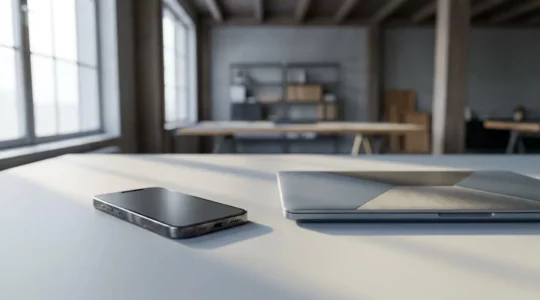
Why Your £1,200 Flagship Performs Worse Than a £400 Laptop for Real Work?
Your flagship’s real-world performance isn’t limited by its processor, but by hidden constraints like heat, default software settings, and workflow friction. Thermal throttling can cut peak performance by over 70% during sustained tasks, making benchmark scores irrelevant for professional use….
Read more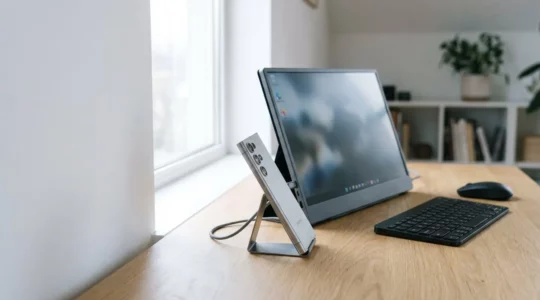
How to Replace Your Laptop with a Phone and Portable Monitor?
Replacing your laptop isn’t about buying gadgets; it’s about mastering your ‘latency budget’ to design an efficient mobile workflow. True mobile productivity comes from choosing low-latency peripherals, not just the most expensive ones. Cloud PCs like Shadow can outperform your…
Read more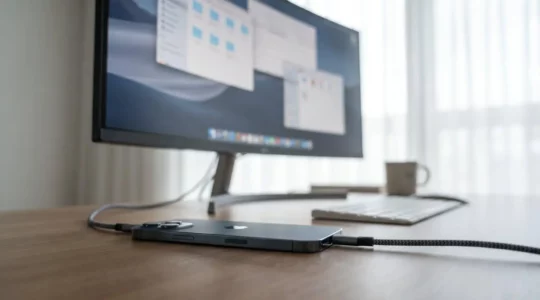
How to Run Desktop-Class Applications on Your Phone Without Lag?
In summary: Your phone slows down not because it’s weak, but due to thermal throttling—a self-protection mechanism against heat. Lag isn’t just about RAM capacity; it’s often a memory bandwidth or storage speed bottleneck that chokes performance. Aggressive background app…
Read more
Are Your Wearable Health Metrics Actually Accurate Enough to Trust?
The accuracy of your wearable isn’t a fixed factory setting; it’s a dynamic state you can actively validate and improve. Understand the technology’s limits, such as how Photoplethysmography (PPG) sensors are affected by motion and skin tone. Apply context-specific configurations…
Read more