Consoles & Accessories
Modern gaming consoles have evolved far beyond simple plug-and-play entertainment boxes. Today’s systems like the PlayStation 5, Xbox Series X, and VR headsets offer a staggering array of features, settings, and accessory options that can dramatically transform your gaming experience. Yet most players unknowingly leave significant performance and enjoyment on the table, simply because the learning curve feels steep or the terminology sounds intimidating.
This comprehensive resource demystifies the essential aspects of console gaming hardware and accessories. Whether you’re puzzled by controller response times, curious about performance modes, wondering if ray tracing actually matters, or seeking to make your VR sessions more comfortable, you’ll find clear explanations grounded in practical experience. The goal isn’t to overwhelm you with technical jargon, but to give you the foundational knowledge needed to make informed decisions about your gaming setup.
From understanding what makes controllers feel responsive to selecting the right accessories for virtual reality, we’ll explore the key areas where small adjustments or additions can yield surprisingly large improvements in your gaming sessions.
Understanding Controller Performance and Responsiveness
The controller represents your primary connection to the game world, yet it’s often the most misunderstood component of a gaming setup. Many gamers invest in premium controllers expecting instant improvements, only to feel disappointed when the difference seems negligible. The reality is more nuanced than marketing materials suggest.
What Actually Affects Controller Response Time
Controller responsiveness depends on multiple factors working in concert: input lag from the connection method, polling rate (how frequently the controller communicates with the console), and internal processing delays. Think of it like a relay race—even if one runner is exceptionally fast, the overall time depends on every handoff. A wired controller typically introduces 1-4 milliseconds of latency, while modern wireless connections add 4-8 milliseconds. For context, human reaction time averages around 200 milliseconds, which explains why professional controllers advertising sub-millisecond improvements often fall below the threshold of human perception for most players.
Optimizing Dead Zones and Sensitivity
Dead zones determine how far you must push an analog stick before the game registers movement. Factory settings often prioritize preventing unintended inputs (like character drift) over precision. Adjusting these settings can transform aiming accuracy:
- Lower dead zones (3-8%) suit precise aiming in shooters but may cause drift if your controller has wear
- Higher dead zones (12-20%) provide stability for broader movements in action-adventure games
- Sensitivity curves control acceleration—linear curves offer consistency, while exponential curves allow slow precision and fast flicks
Wired vs Wireless: When Connection Type Matters
The wired versus wireless debate generates passionate opinions, but the practical difference is smaller than many assume. Modern wireless protocols like those in recent PlayStation and Xbox controllers introduce latency measured in single-digit milliseconds. For competitive fighting games or rhythm games where frame-perfect timing matters, wired connections provide measurable advantages. For most other genres—action-adventures, RPGs, open-world games—the difference remains imperceptible during actual gameplay. The decision often comes down to convenience versus the peace of mind that comes from eliminating one variable.
Preventing Stick Drift Through Maintenance
Stick drift, where controllers register movement without input, has become an expensive problem for many gamers. While some cases stem from manufacturing defects, many can be prevented or delayed through simple maintenance. A monthly cleaning routine takes approximately five minutes: use compressed air around the stick bases to remove dust particles, gently clean the stick surfaces with isopropyl alcohol on a cotton swab, and avoid eating while gaming (food particles accelerate wear). This preventative approach often extends controller lifespan well beyond the standard warranty period, potentially saving the cost of replacement.
Unlocking Your Console’s Full Potential
Current-generation consoles pack remarkable technology that many owners never fully utilize. The features exist within your system right now, but remain dormant without proper configuration or understanding. These aren’t minor tweaks—they represent fundamental differences in how games look, feel, and perform.
How the SSD Transforms Game Design
The shift from mechanical hard drives to solid-state drives represents more than faster loading screens. The PlayStation 5’s custom SSD, for instance, reads data at speeds up to 100 times faster than previous generation hardware. This enables game mechanics that were previously impossible: seamless world transitions without tunnels or elevators as hidden loading screens, instantly switching between gameplay and different time periods, and dramatically reducing texture pop-in. Games designed specifically for this technology—rather than cross-generation titles—showcase the most dramatic differences, rendering entire level design philosophies obsolete.
Enabling High Frame Rate Modes
Many games support 120fps mode, delivering silky-smooth motion that makes 60fps feel sluggish by comparison. However, this requires specific setup steps that aren’t always obvious:
- Verify your display supports 120Hz refresh rate (check specifications or settings menu)
- Use an HDMI 2.1 cable (older cables lack the bandwidth for 4K at 120Hz)
- Enable performance mode or 120Hz output in console system settings
- Check individual game settings, as many require manual activation of high frame rate mode
Not every television or monitor supports these refresh rates, and the visual difference becomes most apparent in fast-paced games like shooters or racing simulators.
Performance vs Quality: Choosing the Right Mode
Most modern games offer a choice between fidelity and performance modes. Quality mode typically runs at 30fps with higher resolution, enhanced lighting, and maximum detail. Performance mode targets 60fps with reduced resolution or graphical effects. The right choice depends entirely on game type: cinematic story-driven experiences often benefit from quality mode’s visual richness, while competitive multiplayer, fighting games, and first-person shooters demand performance mode’s responsive smoothness. Some players switch modes depending on whether they’re exploring (quality) or in combat (performance).
Storage and Ventilation Essentials
Two practical considerations affect console longevity and convenience. First, ventilation: placing consoles in enclosed entertainment cabinets restricts airflow, causing thermal throttling or unexpected shutdowns during demanding games. Consoles need at least 10cm of clearance on exhaust sides, and enclosed spaces benefit from small USB-powered fans to maintain air circulation. Second, storage: while internal SSD expansion offers identical performance to built-in storage, external drives provide a cost-effective solution for archiving games you’re not currently playing, with the understanding that current-generation titles must run from internal storage to maintain performance.
Ray Tracing: Visual Quality vs Performance Trade-offs
Ray tracing represents one of the most hyped yet least understood technologies in modern gaming. Marketing materials showcase stunning screenshots, but the real-world experience involves compromises that aren’t immediately obvious until you’re playing in your own living room.
What Ray Tracing Actually Changes
Traditional game graphics approximate reflections and lighting using clever tricks—mirrored textures, pre-baked shadows, and screen-space reflections that only show what’s already visible on screen. Ray tracing simulates how light actually behaves in the real world, calculating reflections, shadows, and global illumination with physical accuracy. The difference appears most dramatically in reflective surfaces (puddles, windows, polished floors) where you’ll see accurate reflections of objects even outside your field of view, and in complex lighting scenarios where light bounces realistically between surfaces. The effect creates a subtle but pervasive sense of solidity and realism that’s difficult to articulate but immediately noticeable once you know what to look for.
When Ray Tracing Justifies the Performance Cost
Enabling ray tracing typically halves frame rates—from 60fps to 30fps in many implementations. This trade-off makes sense in specific scenarios:
- Slow-paced exploration games where you have time to appreciate environmental details
- Indoor or urban environments with abundant reflective surfaces (rain-soaked streets, modern architecture)
- Games with dramatic lighting where ray-traced shadows and global illumination create atmosphere
Conversely, fast-paced competitive games or brightly-lit outdoor environments often show minimal ray tracing benefits that don’t justify the performance penalty.
Spotting the Marketing vs Reality Gap
Promotional screenshots often exaggerate ray tracing’s visible impact through carefully selected scenes, extreme close-ups, or comparisons that disable other graphical features alongside ray tracing. At typical viewing distances (2-3 meters from a television), many ray-traced effects become subtle enough that most players won’t notice them during active gameplay. The technology represents genuine innovation, but managing expectations prevents disappointment. Enable it for games where you’ve confirmed the visual improvement justifies smoother motion, and don’t hesitate to prioritize frame rate when ray tracing’s benefits feel underwhelming.
Next-Generation Controller Features: Haptics and Adaptive Triggers
Sony’s DualSense controller introduced haptic feedback and adaptive triggers that fundamentally reimagine how games communicate through touch. These aren’t simply enhanced rumble motors—they represent a genuinely new dimension of game interaction that’s difficult to appreciate until experienced firsthand.
How Advanced Haptics Differ From Traditional Rumble
Haptic feedback uses dual voice coil actuators to create specific, nuanced sensations rather than generic vibrations. Walking on gravel produces a distinctly different feeling than walking through mud or across ice. Pulling a bowstring creates increasing resistance that you feel building in your hands. Rain pattering on your character’s head generates subtle taps localized to specific areas of the controller. Traditional rumble motors could only vary intensity; haptic feedback varies texture, location, and sensation type. Think of it as the difference between someone tapping your shoulder with varying force versus creating completely different tactile patterns.
Adaptive Triggers and Immersion
The DualSense’s L2 and R2 triggers contain motors that dynamically adjust resistance. Accelerating a car creates progressive tension mimicking a gas pedal; the trigger fights back when pulling a heavy bow; squeezing through a narrow gap creates resistance that releases when you emerge. Games designed around this technology use it for mechanical feedback (weapon jamming creating trigger resistance) or environmental communication (struggling through deep snow). The feature does increase battery consumption and can cause finger fatigue during extended sessions, but adjustable intensity settings let you find a comfortable balance.
Managing Intensity Without Losing the Experience
Maximum haptic and trigger intensity showcases the technology impressively but drains battery life and can feel overwhelming during marathon sessions. Most games allow independent adjustment:
- Medium haptic intensity preserves textural variety while extending battery life by approximately 40%
- Strong adaptive triggers with medium haptics balances immersion with sustainability
- Disable entirely for competitive play where consistency and rapid inputs outweigh immersion
Games That Best Demonstrate the Technology
Certain titles were designed specifically to showcase DualSense capabilities and serve as ideal demonstrations: Astro’s Playroom (pre-installed on PS5) offers a comprehensive tour of every feature, while racing simulators translate vehicle feedback through haptics with remarkable fidelity. First-person shooters that implement weapon-specific trigger resistance create tangible differences between firearms that transcend visual changes alone.
VR Accessories That Transform Your Experience
Virtual reality headsets deliver remarkable experiences straight out of the box, but a few thoughtful accessories can dramatically improve comfort, reduce fatigue, and minimize motion sickness—problems that often prevent users from enjoying VR’s full potential.
Solving Comfort Issues for Extended Sessions
Default head straps on devices like the Quest 2 prioritize low cost and simple adjustment over sustained comfort. The front-heavy weight distribution creates pressure points on your face after 15-20 minutes of use. Premium head straps—whether official or reputable third-party options—redistribute weight using a cradle design that balances the load across your entire head. The difference feels dramatic: sessions comfortably extend from 20 minutes to several hours. Third-party straps often provide equivalent comfort at half the price of official accessories, though build quality varies significantly between manufacturers.
Protecting Lenses While Wearing Glasses
Glasses wearers face a genuine dilemma: VR headsets can accommodate eyewear, but contact between lenses causes permanent scratching to both. Prescription lens inserts solve this elegantly by attaching corrective lenses directly inside the headset, eliminating glasses entirely during VR use. For occasional users or shared headsets, spacer attachments increase the distance between your glasses and the headset lenses, reducing scratch risk while slightly decreasing field of view. Both solutions cost a fraction of replacement lenses.
Accessories Worth Prioritizing
Not all VR accessories deliver equal value. Focus initial purchases on these categories based on your primary use case:
- For fitness applications: Facial interfaces made from easily-cleaned materials (silicone or leather-like covers), and counterweight accessories that improve balance during active movement
- For social and casual gaming: Upgraded head straps for comfort, and prescription lens inserts if needed
- For extended sessions: Small clip-on fans that provide active cooling, which surprisingly helps reduce motion sickness by providing consistent airflow and temperature regulation
The fan accessory deserves special mention—despite seeming gimmicky, the combination of cooling and constant gentle airflow provides a grounding sensation that reduces nausea for susceptible users.
Gaming consoles and their ecosystems offer depth that reveals itself gradually. The features and accessories covered here represent starting points rather than exhaustive lists—each area contains additional nuances worth exploring based on your specific gaming preferences and priorities. The key is understanding that significant improvements don’t always require expensive upgrades; often, they simply require knowledge about features already available in your existing hardware, waiting to be properly configured and utilized.
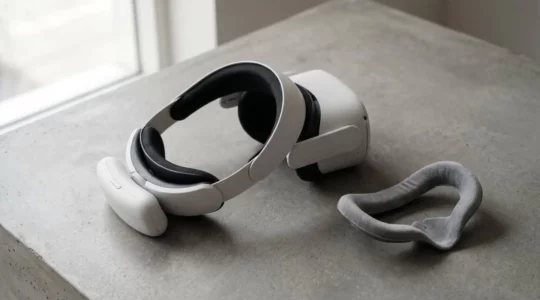
Why Does Adding a £50 Accessory Make Your VR Experience 10 Times Better?
The biggest upgrade to your VR experience isn’t more pixels or faster processors; it’s closing the physical and sensory ‘reality gap’ that causes discomfort and breaks immersion. Front-heavy headsets create “ergonomic debt,” causing neck strain and pressure that your brain…
Read more
The Art of Sensation: Why a Bowstring Feels Different From Gravel in Your Controller
The sensation in your DualSense controller isn’t just ‘vibration’; it’s a precise language of feeling, sculpted from audio waveforms. It uses advanced Linear Resonant Actuators (LRAs) that are faster and more precise than old rumble motors. Adaptive triggers use tiny…
Read more
Can You Actually See the Difference Ray Tracing Makes at Normal TV Distance?
Ray tracing’s true value isn’t seen in dramatic screenshots, but felt in the absence of visual errors your brain subconsciously detects from across the room. Traditional ‘Screen Space’ reflections are a clever trick, but they break immersion by failing to…
Read more
Are You Using Only 30% of Your PS5’s Capabilities Without Knowing It?
Your PS5 or Xbox is more than a speed bump; its hidden settings and underlying technology are the real game-changers you might be missing. Unlocking a true 120fps experience requires a specific chain of hardware and settings, not just a…
Read more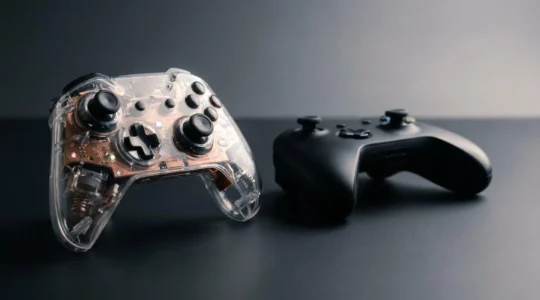
Why Does Your £150 Controller Feel Less Responsive Than the Standard One?
Your premium controller’s performance isn’t a myth; it’s just locked behind default settings, hardware tolerances, and common misunderstandings about latency. True responsiveness comes from meticulously calibrating dead zones to match your hardware’s unique physical limits, not just chasing marketing milliseconds….
Read more