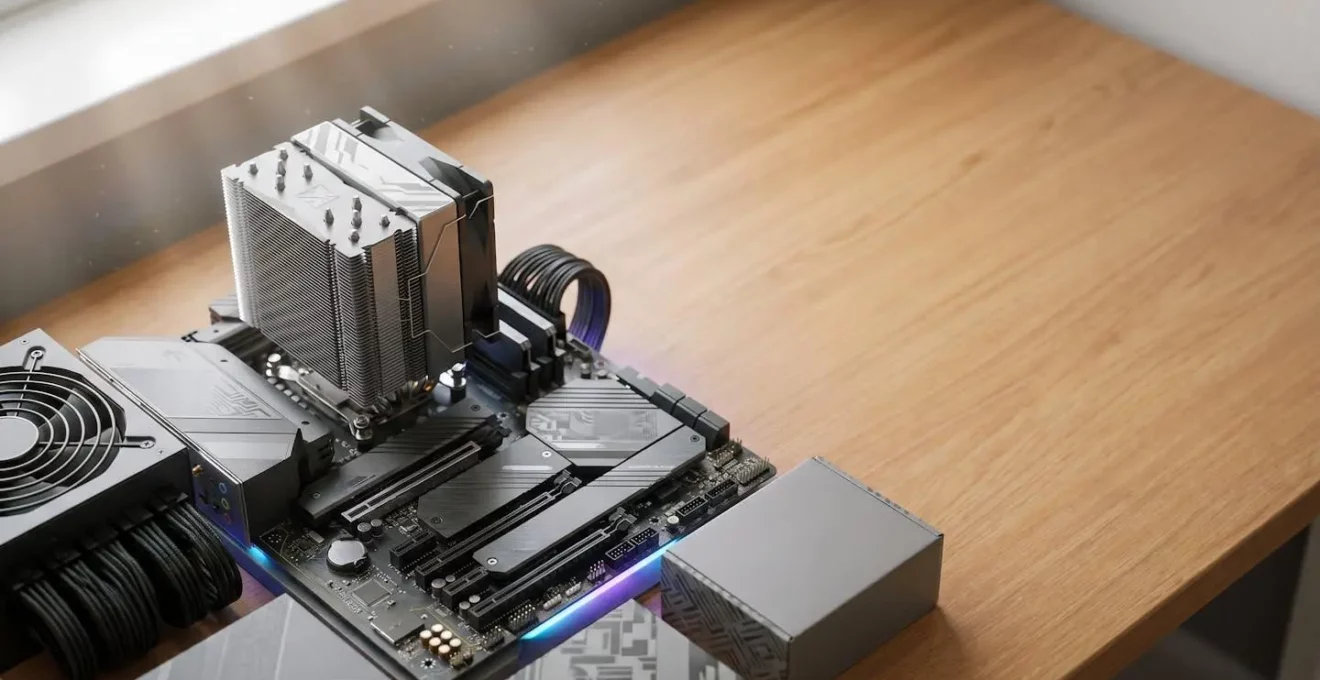
Building for longevity is not about buying the most expensive parts; it’s about investing in a stable ‘Platform Foundation’ (motherboard, PSU, case) that outlives multiple generations of faster, depreciating components like GPUs.
- The choice between AMD and Intel isn’t just performance; it’s a multi-year commitment to a specific upgrade ecosystem and socket lifespan.
- A high-quality, high-wattage ATX 3.1 PSU is a 10-year asset, whereas a mid-range GPU is a 3-4 year consumable. Budget accordingly.
Recommendation: Prioritise budget on a motherboard platform with long-term socket support (like AM5) and an oversized PSU, even if it means accepting a modest ‘strategic bottleneck’ on your initial GPU.
The conventional wisdom for building a gaming PC is a simple, seductive mantra: buy the best parts you can afford. This approach often leads builders down a path of chasing benchmarks, resulting in a powerful machine that, within two or three years, faces a critical and expensive upgrade dilemma. A new graphics card suddenly requires a new power supply, which then reveals the CPU is a bottleneck, triggering a near-total rebuild. This cycle of “cascading upgrade failure” is the single biggest enemy of a long-term PC investment. It’s costly, frustrating, and entirely avoidable.
What if the goal wasn’t to build the fastest PC for today, but the most adaptable PC for the next seven years? This requires a shift in mindset from a parts-picker to a PC longevity architect. It means looking past raw performance metrics and focusing on the structural integrity of your build: the platform, the power delivery, and the interdependencies between components. It’s an exercise in protecting your investment by strategically planning for obsolescence and minimising the friction of future upgrades. You learn to identify which components are long-term assets and which are planned consumables.
This guide will deconstruct the architectural principles of building for longevity. We will analyse the critical platform decisions, outline a forward-thinking budget strategy, and reveal the component-level choices that prevent you from being locked into a dead-end system. By understanding these concepts, you can build a machine that evolves gracefully, saving you thousands of pounds over its extended lifespan.
This article explores the core strategies for creating a system with maximum useful life. The following sections break down the key decisions, from initial platform choice to smart purchasing cycles, that define a truly future-proof build.
Summary: The Architectural Guide to a 7-Year PC
- Why Does Choosing AMD or Intel Now Lock You into Certain Upgrade Paths?
- How to Split £1,500 Between CPU, GPU, and RAM for Maximum Useful Life?
- 32GB Now or 16GB with Upgrade Plan: Which Memory Strategy Costs Less?
- The 500W PSU Mistake That Blocks Your Next Graphics Card Upgrade
- When to Buy PC Parts: The Product Cycle Windows That Save 25% or More?
- When to Choose Repairability Over Specs for a 5-Year Device Lifespan?
- Which Spec to Prioritise When One Component Will Bottleneck Within 2 Years?
- Why Does Replacing One Component Sometimes Require Changing Three Others?
Why Does Choosing AMD or Intel Now Lock You into Certain Upgrade Paths?
The single most important decision for a long-life PC isn’t about clock speeds; it’s the choice of your CPU and motherboard platform. This decision dictates your upgrade possibilities for years to come. Choosing between AMD and Intel today is less about marginal performance gains and more about committing to a specific philosophy of socket longevity. Historically, Intel has favoured introducing new sockets with new CPU generations, effectively forcing a motherboard replacement for any significant processor upgrade. This makes the motherboard a short-term component tied directly to a single CPU generation.
In contrast, AMD has adopted a different strategy with its recent platforms. The AM4 socket, for example, enjoyed a remarkable six-year run from 2016 to 2022. The company has publicly continued this approach, with AM5 support confirmed through at least 2027. This commitment transforms the motherboard from a disposable part into a long-term foundation. It enables “drop-in” CPU upgrades years after the initial build, allowing you to install a brand-new processor without dismantling the entire system. For a longevity architect, this is a critical advantage, as it drastically reduces the cost and friction of keeping the system’s core processing power current.
This table, based on an in-depth platform analysis, highlights the key architectural differences that impact long-term upgradeability.
| Feature | AMD AM5 | Intel LGA1851 |
|---|---|---|
| Socket Longevity | Multi-generation (2027+) | Single-generation expected |
| Overclocking Access | PBO on all chipsets (B850+) | Multiplier OC Z890 only |
| Memory Sweet Spot | DDR5-6000 (1:1 ratio) | DDR5-6400+ (flexible) |
| PCIe 5.0 Lanes | X870E: dual x4 uplink | Z890: varies by SKU |
| Future CPU Support | Zen 6 confirmed (2027) | Not committed |
For a builder planning for a 7-year lifespan, AMD’s confirmed multi-generation support on AM5 presents a clearer, lower-friction upgrade path. It secures the motherboard as part of the stable “Platform Foundation” rather than a component to be replaced.
How to Split £1,500 Between CPU, GPU, and RAM for Maximum Useful Life?
A £1,500 budget can build a powerful PC today. The real challenge is allocating that budget to build a PC that remains powerful and easy to upgrade in year five. The key is to reject the idea of balanced spending and instead adopt a tiered investment strategy based on component depreciation. Some parts are 10-year assets; others are 3-year consumables. Your budget should reflect this reality. The fastest-depreciating components, like the GPU, should not receive the largest share of the budget. Instead, you must over-invest in the ‘Platform Foundation’.
This means allocating a disproportionately large part of your budget—around 40%—to components that will outlast multiple upgrade cycles. This includes a high-quality case with ample clearance for future oversized GPUs, a premium CPU cooler that can be adapted to new sockets, and, most critically, a high-wattage, future-proof Power Supply Unit (PSU). The CPU and motherboard platform, chosen for its socket longevity, should receive the next priority, about 30%. The GPU, the component most likely to be upgraded, should only receive about 20% of the initial budget. This may feel counterintuitive for a gaming build, but it’s the core of a sustainable strategy.
As this visualization of budget hierarchy suggests, the foundation must be the most robust element. The remaining 10% is allocated to RAM and storage, with the understanding that these are relatively easy and inexpensive to expand later. This tiered approach ensures your primary investment is in the stable, non-depreciating skeleton of your PC, while treating the fast-moving parts as planned, replaceable modules. A component depreciation analysis shows that the GPU, CPU, and RAM are the parts that lose the most value over time, confirming the wisdom of this approach.
32GB Now or 16GB with Upgrade Plan: Which Memory Strategy Costs Less?
The question of RAM capacity is a classic longevity puzzle. Is it more cost-effective to buy 32GB of DDR5 now, or start with 16GB and upgrade later? The conventional answer is “buy what you can afford,” but a longevity architect must consider market trends and upgrade friction. Starting with 16GB (as a 2x8GB kit) seems like a savvy way to save money upfront. The plan is to add another 2x8GB kit later when prices drop and software demands it. However, this strategy has two hidden flaws.
First, mixing different RAM kits, even of the same brand and model, can introduce instability. Manufacturing tolerances change over time, and getting four modules to run harmoniously at their rated XMP/EXPO speeds is not always guaranteed. A single 2x16GB kit is inherently more stable than a 4x8GB configuration assembled over time. Second, the assumption that RAM prices will significantly decrease is not a certainty. As one industry analysis group notes in their outlook, the market is complex.
Most experts do not foresee a meaningful drop before mid-2026 at the earliest. The more optimistic projections of a quick correction have largely given way to expectations of continued tightness or further increases.
– Industry Analysis Consensus, Global Memory Market Outlook 2024-2026
Given the potential for price stagnation or increases, and the technical risk of instability from mixing kits, the longevity-focused choice becomes clear. Purchasing a 32GB (2x16GB) kit at the outset is the superior strategy. It eliminates future compatibility headaches and provides a buffer against market volatility. The small premium paid today is an insurance policy against higher costs and technical problems tomorrow, making it the more financially prudent long-term decision.
The 500W PSU Mistake That Blocks Your Next Graphics Card Upgrade
One of the most common and debilitating mistakes a PC builder can make is under-investing in the Power Supply Unit (PSU). A builder might select a 500W or 600W unit that perfectly matches their current components, seeing it as an efficient use of their budget. This is a short-term calculation that creates a long-term roadblock. When it’s time to upgrade the graphics card in three or four years, they will discover that the new GPU requires significantly more power and, more importantly, a different type of power connector that their old PSU lacks. Their planned £400 GPU upgrade has just become a £550+ project that includes a new PSU and the painstaking process of re-cabling the entire system.
The modern PSU is not just a power provider; it’s a gatekeeper for future upgrades. The industry’s shift to the ATX 3.0/3.1 standard and its 12V-2×6 (or 12VHPWR) connector is a critical factor. These new standards are designed to handle the massive, brief power spikes (transient loads) of modern high-end GPUs. An older, non-compliant PSU, even a high-wattage one, can’t manage these spikes reliably, leading to instability or shutdowns. Attempting to use adapters is a risky workaround.
Therefore, the architectural approach is to treat the PSU as a 10-year asset. Investing in a 1000W+ Gold-rated ATX 3.1 PSU from a reputable brand is one of the smartest longevity decisions you can make. It provides the wattage headroom for two or even three future GPU generations and ensures you have the native connectors required. Given that most PSUs now come with 10-year warranties, the manufacturers themselves are signaling the intended lifespan of these components. A high-quality PSU is the bedrock of your platform foundation.
When to Buy PC Parts: The Product Cycle Windows That Save 25% or More?
Building a long-lasting PC isn’t just about what you buy; it’s about *when* you buy. The PC hardware market operates on predictable product cycles, and timing your purchases to exploit these cycles can save you hundreds of pounds and extend the useful life of your build. The worst time to buy is often during the first 90 days of a new platform launch, a period characterized by premium “early adopter” pricing, immature BIOS revisions, and a lack of budget-friendly component options.
A longevity architect acts like a savvy investor, identifying key windows of opportunity. For example, the best time to buy a high-end, last-generation graphics card is not after its successor is released, but in the 60 days leading up to the new launch, when retailers are aggressively clearing inventory. Similarly, Q1 (January-March) is often the ideal time to purchase CPUs, as the post-CES announcement of new models drives discounts on the previous generation. The goal is to avoid paying a premium for cutting-edge performance and instead buy high-quality, mature hardware at its price-to-performance peak.
This patient, strategic approach aligns perfectly with the expected lifespan of components. A detailed component longevity breakdown suggests a CPU can last 7-10 years, while a GPU’s useful gaming life is closer to 4-6 years. By understanding these lifecycles, you can plan your purchases:
- CPUs (Q1): Buy last-gen models after new announcements.
- GPUs (Q3 or Pre-Launch): Target last-gen high-end cards before a new launch or during the Q3 summer lull before the holiday rush.
- Second-Hand Market: For GPUs, entering the market 18-24 months after a product’s launch can yield depreciation of 40-50%, offering immense value.
This strategic timing turns market forces to your advantage, allowing you to acquire better components for your budget and maximizing the value of your investment over the long term.
When to Choose Repairability Over Specs for a 5-Year Device Lifespan?
In the pursuit of longevity, there’s a factor often overlooked in favour of raw performance: repairability and long-term parts availability. A motherboard with world-record overclocking specs is useless if you can’t get a BIOS update or replacement part for it in year four. This is where looking beyond consumer-grade hardware and considering brands with a track record in the commercial or embedded space can be a powerful strategic move.
While most consumer motherboards receive BIOS and security updates for 2-3 years, some manufacturers offer specific product lines with a much longer support horizon. This is a conscious choice to prioritize stability and availability over cutting-edge features. For a longevity architect, this is a trade-off worth considering. A slightly less feature-rich motherboard that guarantees five years of parts supply and support is arguably a better long-term investment than a top-spec board that is effectively abandoned by its manufacturer after 24 months.
Case Study: The Value of a Supply Guarantee
ASUS, for instance, offers a range of commercial and embedded motherboards with a guaranteed 5-year supply chain. They provide end-of-life (EOL) notices a full year in advance and allow for “Last Buy Orders” six months before discontinuation. While these specific boards might not be aimed at gamers, the principle is what matters. Choosing a brand and product family known for this level of long-term commitment, even in their consumer lines, provides an extra layer of investment protection. It’s a signal that the manufacturer themselves thinks in terms of years, not just quarters.
When building for a 5+ year lifespan, the critical question becomes: “In year four, which is more valuable? An extra 5% performance I had on day one, or the ability to get a security patch or find a compatible replacement part?” For the true longevity architect, prioritizing a brand’s commitment to repairability and long-term support over a marginal spec-sheet advantage is a hallmark of a mature and sustainable build strategy.
Which Spec to Prioritise When One Component Will Bottleneck Within 2 Years?
The concept of a “bottleneck,” where one component limits the performance of another, is typically seen as something to be avoided at all costs. However, a longevity architect understands that not all bottlenecks are created equal. In fact, intentionally creating a *strategic bottleneck* is a powerful tool for future-proofing. The key is to ensure the bottleneck resides in a component that is cheap and easy to upgrade, thereby maximizing the value of your investment in the components that are difficult and expensive to replace.
The hardest components to replace are the CPU and motherboard, as this often requires a full system teardown. Therefore, these should form the over-specced, bottleneck-free core of your build. The ideal scenario on day one is a system where your CPU is only at 70% utilization while your GPU is pegged at 100%. This indicates your CPU has significant performance headroom for a future GPU upgrade. You are deliberately “bottlenecking” your system at the GPU, the easiest component to swap out in 3-4 years.
Another crucial area for prioritization is VRAM on the graphics card. When choosing a GPU, it is wiser to prioritize VRAM capacity over raw core performance. A card with 16GB of VRAM and slightly lower frame rates today will age far more gracefully than an 8GB card with a faster core. As game textures and future technologies become more memory-intensive, the 8GB card will hit a hard wall, causing stuttering and unplayable performance, while the 16GB card will continue to deliver a smooth experience, even at lower settings.
Action Plan: Prioritising for Longevity
- Over-invest in the Platform: Allocate 25-30% of your budget to the CPU/Motherboard. This is the most invasive upgrade; make it your strongest foundation.
- Prioritise VRAM over Core Speed: Select a GPU with a minimum of 16GB VRAM. This memory buffer is your best defense against future texture-loading bottlenecks.
- Bet on Bandwidth: Choose a motherboard with a PCIe 5.0 primary slot and multiple M.2 slots. Future storage and GPU technologies will make this bandwidth essential.
- Embrace the GPU Bottleneck: A CPU with headroom (e.g., 70% load) while the GPU is at 100% is a sign of a healthy, future-proof build, not a problem.
- Choose Platform-Native RAM: Opt for stable, platform-native RAM speeds (e.g., DDR5-6000 for AM5) rather than chasing marginal gains from expensive, overclocked kits.
Key Takeaways
- Invest in the Foundation: A long-life PC is built on a superior Platform Foundation (Motherboard, PSU, Case), which should receive a disproportionate share of the budget.
- Plan for Depreciation: Treat fast-moving components like GPUs as planned consumables with a 3-4 year replacement cycle, not as permanent investments.
- Architecture over Specs: Prioritise architectural advantages like long-term socket support (e.g., AM5), modern power standards (ATX 3.1), and high VRAM capacity over marginal short-term performance gains.
Why Does Replacing One Component Sometimes Require Changing Three Others?
This is the question that haunts every PC builder who didn’t plan for longevity. You identify a single weak link in your five-year-old system—the graphics card—and plan a simple, targeted upgrade. You buy a new GPU, open your case, and suddenly find yourself trapped in a web of unforeseen dependencies. This phenomenon, the “cascading upgrade failure,” is the direct consequence of a build strategy focused on the present rather than the future. It is the ultimate tax on short-term thinking.
Each component in a PC exists in a delicate ecosystem of physical, power, and data interdependencies. Upgrading one part without considering the whole system can cause this ecosystem to collapse. An analysis of this very problem reveals a common and costly scenario.
Case Study: The £500 Upgrade That Became a £1,000 Rebuild
A builder with a 2017-era system decides to replace their aging GTX 1080 with a modern RTX 4070. The simple GPU swap triggers a chain reaction. First, the new GPU’s power requirements and ATX 3.0 connector demand a new PSU. Second, the new PSU’s thicker, less flexible cables don’t fit well in the old case, which lacks modern cable routing features, necessitating a case swap. Finally, with the new GPU installed, the old CPU now creates a massive 40% performance bottleneck, wasting much of the new card’s potential. The only solution is a new CPU, which requires a new motherboard and new DDR5 RAM. The planned £500 upgrade has spiraled into a near-complete system rebuild costing over £1,000.
This isn’t a rare occurrence; it is the predictable outcome of an unbalanced system. The component interdependency chain map below illustrates how a single upgrade can trigger a cascade. Every decision made in the initial build—the power connectors on the PSU, the socket on the motherboard, the type of RAM—sets the stage for these future dependencies.
| Trigger Upgrade | Required Change #1 | Required Change #2 | Required Change #3 |
|---|---|---|---|
| New High-End GPU | PSU (power/connector) | Case (cable routing) | CPU/Mobo (bottleneck) |
| CPU Generation Jump | Motherboard (socket) | RAM (DDR4→DDR5) | CPU Cooler (mount) |
| ATX 3.0 PSU Upgrade | Case (connector space) | GPU (compatibility) | — |
| DDR5 Platform Move | Motherboard (support) | CPU (controller) | Cooler (potential) |
| PCIe 5.0 Storage | Motherboard (slot) | CPU (lane provision) | — |
By adopting the architectural strategies outlined in this guide—prioritizing the platform foundation, understanding component lifecycles, and planning for upgrades—you can break this costly cycle. Your next build can be an adaptable, evolving platform, not a ticking time bomb of cascading costs. Start building not just for speed today, but for relevance in the years to come.