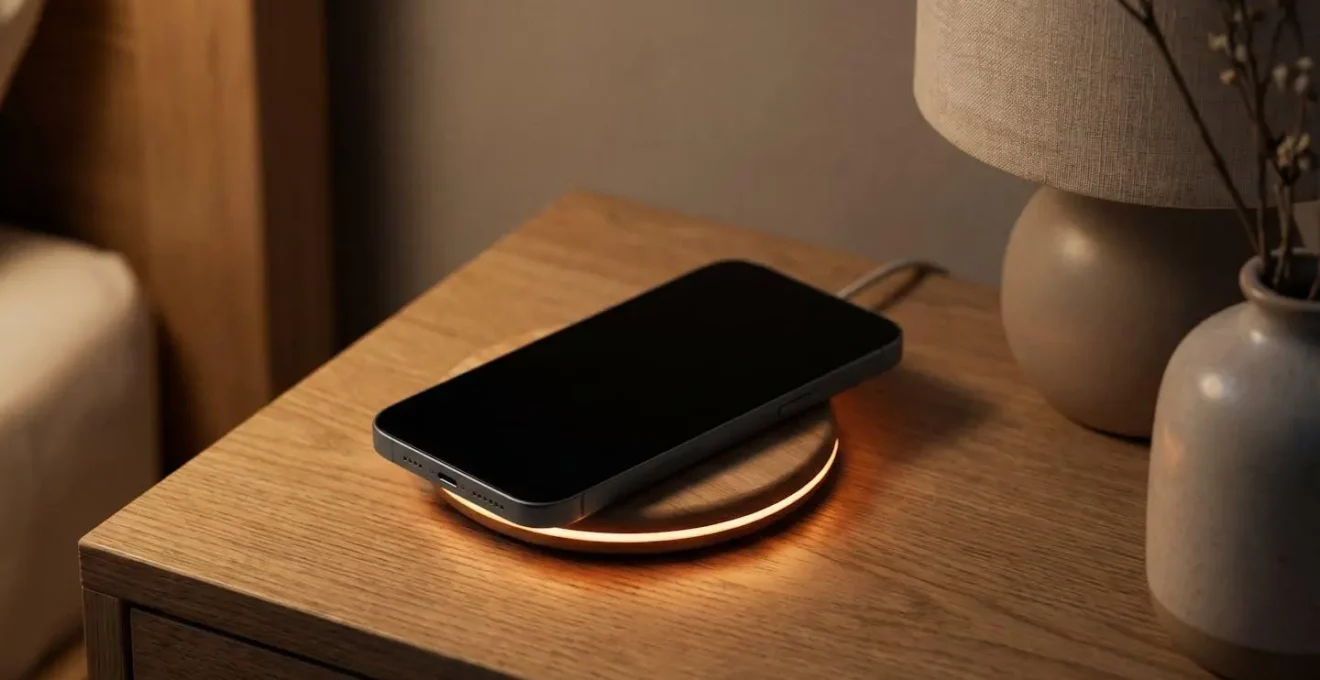
Contrary to feeling like a bug, your phone pausing at 80% is an advanced battery protection system—and understanding its rules is the key to mastering your device’s long-term health.
- The primary goal is to minimise ‘voltage stress’ and heat, the two main factors that permanently degrade lithium-ion batteries.
- Different brands like Apple and Samsung use different strategies (dynamic learning vs. hard caps), requiring distinct management approaches.
Recommendation: Don’t disable smart charging. Instead, learn the specific manual override commands for your device to use strategically for travel or long days, treating it as a calculated decision, not a default habit.
It’s a familiar scenario for many UK device users. You plug in your expensive smartphone overnight, expecting a full 100% charge to greet you in the morning. Instead, you wake up to find it stubbornly sitting at 80%. This can be particularly frustrating when you have a long day of travel ahead and need every bit of power. The initial reaction is often one of annoyance, suspecting a fault or a software bug. You’ve likely heard the generic explanation that this is for “battery health,” but this vague reasoning often feels like a loss of control over a device you own.
This guide reframes the entire conversation. We will treat you not as a passive user, but as a charging optimisation consultant for your own device. The goal is to move beyond the frustration and into a position of informed control. Understanding this 80% pause isn’t about accepting a limitation; it’s about learning the rules of an advanced system designed to save you money and hassle in the long run. By understanding the core science, the different algorithmic approaches, and the specific habits that confuse your phone, you gain the expertise to decide precisely when to trust the automated system and when to strategically take command.
We will delve into the physics of battery degradation, compare the distinct philosophies of Apple and Samsung, and provide concrete, actionable protocols to manage your charge. From the common mistakes that disrupt the charging algorithm to the specific steps you can take to train your phone for your unique schedule, this comprehensive overview puts the power back in your hands. You will learn not just *why* it stops, but gain the authority to decide *when* it shouldn’t.
Summary: The 80% Charging Limit: A Consultant’s Guide to Battery Health and Control
- Why Does Charging to 100% Every Night Degrade Your Battery Faster?
- The Charging Habit That Degrades Your £1,000 Phone Battery in 18 Months
- 45W Fast Charge or 5W Slow Charge: Which Extends Battery Life More?
- Why Does Samsung’s Battery Protection Work Differently from Apple’s Approach?
- How to Keep Your iPhone Battery Above 85% Health After 3 Years?
- The Power Strip Switching Mistake That Confuses Your Phone’s Charging Algorithm
- How to Train Your Phone to Reach 100% Exactly When You Wake Up?
- How to Force Full Charging Before Travel While Keeping Optimisation On?
Why Does Charging to 100% Every Night Degrade Your Battery Faster?
The core reason your phone avoids sitting at 100% is to minimise a physical phenomenon known as voltage stress. A lithium-ion battery isn’t like a fuel tank; think of it more like a piece of elastic. Charging it to 100% is akin to stretching that elastic to its absolute limit and holding it there for hours. While it can handle this tension, doing so repeatedly causes it to lose its elasticity—or in the battery’s case, its ability to hold a full charge. Keeping a battery at a high state of charge (above 80%) puts its internal chemical components under continuous strain, accelerating their permanent degradation.
The real-world impact of this is stark. According to extensive testing, the number of charge cycles a battery can endure before its capacity significantly drops is directly related to its charge level. Research from battery experts shows that a battery charged to 100% gets approximately 300-500 discharge cycles before significant degradation, while one charged to only 80% can achieve 1,500 or more cycles. By pausing the charge at 80% and only completing the final 20% just before you wake up, your phone’s operating system drastically reduces the time the battery spends in that high-stress state overnight, effectively tripling or quadrupling its potential lifespan.
This isn’t a minor optimisation; it’s the single most effective software strategy for preserving the long-term health of your battery. Every hour your phone avoids sitting at 100% is a small deposit into its longevity bank. Smart charging systems trade a tiny, often unnoticeable amount of immediate charge for a massive long-term gain in capacity and performance, ensuring your device remains useful for years, not just months.
The Charging Habit That Degrades Your £1,000 Phone Battery in 18 Months
While holding a battery at 100% causes voltage stress, the absolute worst habit for your battery’s health is one that combines this stress with the battery’s other mortal enemy: excessive heat. The single most destructive behaviour is using your phone for intensive tasks, like gaming or high-resolution video streaming, while it is fast-charging. This creates a perfect storm of degradation that can cripple the capacity of a premium £1,000 phone in as little as 18 months.
Here’s the destructive mechanism: fast charging itself generates a moderate amount of heat as high wattage is pushed into the battery. Simultaneously, running the phone’s processor and graphics chip at full tilt for gaming or video rendering also generates a massive thermal load. These two heat sources combine, pushing the battery’s internal temperature far beyond its optimal range (typically above 35-40°C). Heat is a catalyst for chemical reactions, and inside a battery, it drastically accelerates the chemical processes that lead to permanent capacity loss. You are essentially “cooking” the battery from the inside out while it is also under maximum voltage stress.
The following table, based on an analysis of charging habits and their impact, clearly ranks the damage potential of common user behaviours. It illustrates why the combination of high-intensity use and charging is so uniquely destructive compared to other habits.
| Rank | Charging Habit | Heat Generation | Voltage Stress | Estimated Impact on 3-Year Capacity |
|---|---|---|---|---|
| 1 (Best) | Slow charging overnight with smart optimization (pause at 80%) | Minimal | Low | 85-90% retained |
| 2 | Fast charging overnight with smart optimization enabled | Moderate | Moderate | 82-87% retained |
| 3 | Fast charging to 100% and leaving plugged in | Moderate-High | High | 78-82% retained |
| 4 | Using phone (browsing, video) while charging | High | High | 75-80% retained |
| 5 (Worst) | Gaming or intensive tasks while fast-charging | Extreme (10-15°C increase) | Extreme | 70-76% retained |
The takeaway for any user looking to preserve their investment is unequivocal: if you must use your phone while it’s plugged in, avoid intensive tasks. And if you must game, unplug the phone first. Separating the act of high-intensity use from the act of charging is the most powerful behavioural change you can make to protect your battery’s health and value over the long term.
45W Fast Charge or 5W Slow Charge: Which Extends Battery Life More?
The debate between fast and slow charging is often oversimplified. As a consultant, the clear advice is that the enemy isn’t charging speed itself, but the heat generated as a byproduct. Therefore, for the specific and most common scenario of overnight charging, a 5W slow charger is unequivocally better for long-term battery health than a 45W fast charger. When you have 6-8 hours to charge your phone, speed is irrelevant, but the thermal cost is not. Slow charging generates minimal heat, allowing the battery to replenish its energy in the most stable and least stressful conditions possible.
Fast charging technologies work by pushing a higher voltage and amperage into the battery, particularly in the early stages of the charging cycle (0-50%). This process inevitably creates more heat than a slow, gentle charge. While modern phones have sophisticated thermal management systems to dissipate this heat and throttle the charging speed if temperatures rise too high, they can’t eliminate the thermal penalty entirely. Every fast-charging session is a small, but cumulative, thermal “hit” on the battery’s chemistry.
This doesn’t mean fast charging is always bad. It’s a tool for a specific job: getting a significant amount of power in a short amount of time when you’re in a hurry. A 20-minute top-up with a 45W charger before heading out is a perfectly valid and useful feature. However, using that same high-powered charger for an eight-hour overnight session is simply unnecessary thermal abuse. It’s like using a racing engine to drive to the local shops; it works, but it’s inefficient and causes needless wear and tear.
For optimal long-term health, the strategy should be to match the tool to the task. Use a simple, low-power 5W charger (like the old cube that came with older iPhones) for your bedside table. This is your “health” charger. Keep your powerful 45W or 65W fast charger in your bag or at your desk for those moments when you genuinely need speed. By separating these use cases, you get the best of both worlds: maximum convenience when you need it, and maximum battery preservation when you don’t.
Why Does Samsung’s Battery Protection Work Differently from Apple’s Approach?
While both Apple and Samsung aim to protect your battery by limiting charge, their underlying philosophies and mechanisms are quite different, and as a user, you need to manage them differently. Apple’s “Optimized Battery Charging” is a dynamic and predictive system, whereas Samsung’s “Protect Battery” feature is a more direct hard-cap system.
Apple’s approach is based on machine learning. It quietly analyses your daily routines: when you typically go to sleep, when you wake up, and even your location. Its goal is to allow the phone to charge to 80% quickly, then pause. Based on its learned schedule (e.g., your morning alarm), it will then resume charging at the precise time needed to hit 100% just as you’re about to unplug it. This is a truly adaptive system that aims to give you the full convenience of a 100% charge when you need it, while maximising the time spent below the high-stress 80% mark. It’s a “have your cake and eat it too” approach, but it relies heavily on a consistent, predictable user routine.
Samsung, by contrast, offers a simpler, more direct method. When you enable “Protect Battery,” it imposes a strict ceiling, preventing the phone from charging beyond 85%, period. It does not try to predict your wake-up time or aim for 100% in the morning. It’s a straightforward rule: 85% is the new 100%. This is less sophisticated but has the advantage of being completely predictable and not reliant on algorithms learning your habits. It’s a blunt but effective tool for anyone who wants to guarantee their battery avoids high voltage states.
A long-term tracking study of battery health retention found that Apple’s more complex, automated software approach is genuinely superior at preserving long-term capacity. After three years, an iPhone might retain 5-8% more of its original capacity than a comparable Samsung under similar usage. This translates into a tangible real-world difference, where an older iPhone may still last a full day, while the Samsung might require a midday top-up. The trade-off is control vs. automation: Samsung gives you a simple on/off switch, while Apple asks you to trust its “black box” algorithm to do the right thing.
How to Keep Your iPhone Battery Above 85% Health After 3 Years?
Achieving over 85% battery health after three years of use is an ambitious but achievable goal. It requires moving from a passive user to an active manager of your device’s health. The strategy isn’t about one magic bullet but a series of consistent, deliberate habits. To set a baseline, it’s important to understand the manufacturer’s own targets. According to Apple’s official battery performance specifications, iPhone 15 models are designed to retain 80% of their original capacity at 1,000 complete charge cycles under ideal conditions (older models were rated for 500 cycles). Your goal is to beat this benchmark through smart management.
The foundation of this strategy is to fully embrace and trust Apple’s Optimized Battery Charging. This feature is the single most powerful tool at your disposal. Instead of fighting it, work with it. This means establishing a consistent charging routine, especially on weekdays, so the algorithm can accurately learn when to pause and when to complete the charge. While you shouldn’t obsess over the “Battery Health” percentage daily, checking it monthly can help you spot trends and confirm your strategy is working.
Beyond software, physical environment plays a massive role. Heat is the enemy of battery longevity. This means making a conscious effort to keep your phone out of direct sunlight, never leaving it on a car dashboard on a sunny day, and being especially mindful of heat buildup during charging. If you are charging your phone in a warm room, avoid using intensive apps simultaneously. Each of these small actions contributes to a larger strategy of thermal management that pays significant dividends over three years.
Your Action Plan: The 3-Year, 85% Battery Health Checklist
- Daily: Enable and trust Optimized Battery Charging. Let the algorithm manage the 80-100% phase automatically based on your routine. Use a slow, 5W charger overnight to minimise heat.
- Weekly: Don’t fear an occasional 100% charge before a long day. One full charge per week for travel or an event is perfectly acceptable and will not significantly impact long-term health.
- Monthly: Review your Battery Health in Settings (Settings > Battery > Battery Health). Monitor the trend, but do not obsess over a single percentage point drop from 100% to 99%.
- Seasonally: Manage environmental heat. Keep your phone out of direct sun, avoid leaving it in hot cars (above 35°C), and don’t use intensive apps while charging in warm environments.
- Storage Rule: If storing your phone for an extended period (weeks or months), do not leave it fully charged or fully depleted. Maintain it at approximately 50% charge to minimise degradation during its inactive period.
Adopting this multi-faceted plan turns battery care from a passive concern into an active, manageable project. It’s a combination of leveraging the phone’s built-in intelligence, managing its physical environment, and adopting mindful user habits that collectively ensure your device performs optimally for years.
The Power Strip Switching Mistake That Confuses Your Phone’s Charging Algorithm
One of the most common and misunderstood ways users inadvertently sabotage their phone’s smart charging is by using timed power strips or smart plugs. In an effort to save a minuscule amount of energy, people might set a smart plug to cut power to their charger at 3 AM and restore it at 6 AM. From the phone’s perspective, this act of “pulling the plug” is catastrophic for the learning algorithm. It completely blinds the system and forces it to revert to a “dumb” charging mode, defeating the entire purpose of optimisation.
To understand why, you must think from the algorithm’s point of view. Optimized charging requires a continuous, uninterrupted power source to intelligently manage the final 20% of the charge. The phone needs to be able to decide *when* to draw power, not have that decision made for it by an external switch. When you use a smart plug, you create a sequence of events that actively works against the phone’s logic.
How Smart Plugs Disrupt Optimized Charging Logic
The phone’s logic is designed for a continuous power supply. When a smart plug cuts power entirely, the algorithm is thrown into confusion. A typical failed sequence looks like this: 1) At 11 PM, power is detected, and the phone correctly pauses charging at 80%, planning to resume just before your morning alarm. 2) At 3 AM, the smart plug cuts the power. From the phone’s perspective, it has been unplugged. The entire optimisation plan is aborted. 3) At 5 AM, the smart plug restores power. The phone detects this as a brand-new charging session. Believing you’ve just plugged it in and need power urgently, it ignores the optimisation schedule and rushes to 100% as fast as possible, generating unnecessary heat and voltage stress.
The critical error is assuming the phone is “dumb” and needs an external timer. In reality, the phone’s software is far more intelligent than any simple on/off timer. It’s making nuanced decisions based on your learned habits, alarms, and location data. By using a smart plug to manage the power, you are replacing a sophisticated, learning AI with a blunt, inflexible switch. This not only prevents the optimisation from working but can also lead to more battery wear as the phone is repeatedly forced into last-minute, rapid charging cycles.
For smart charging to work, the rule is simple: plug the phone directly into a wall outlet or a standard “always-on” power strip and let it be. Trust the internal software to manage the power flow. The energy saved by the long-term health of your battery will vastly outweigh the pennies saved by a smart plug.
How to Train Your Phone to Reach 100% Exactly When You Wake Up?
Your phone’s Optimized Charging feature is a learning algorithm, and like any student, it performs best when it receives clear, consistent, and clean data. If your phone is failing to reach 100% by the time you wake up, or if its behaviour seems erratic, it’s often a sign that it has been “trained” on confusing or contradictory data. The solution is to perform a reset and retraining protocol, providing it with a week of perfect “data hygiene” to recalibrate its understanding of your routine.
The most powerful signal you can give the algorithm is a consistent wake-up alarm. For many learning systems, the alarm set in the native Clock app is the primary anchor point around which it builds its schedule. Inconsistent alarms, or no alarms at all (especially on weekends), can corrupt the dataset, leaving the AI uncertain about your true wake-up time. Similarly, the phone uses location data as a strong secondary signal; charging it in different places every night (e.g., bedroom, living room, kitchen) can weaken the “Home” location trigger that reinforces the overnight charging routine.
User behaviour during the charging window also provides crucial data. If you frequently unplug your phone in the middle of the night to check something and then plug it back in, you are sending a conflicting signal. The algorithm sees an “unplug” event and might interpret it as the end of the charging session, only to be confused when a new session starts an hour later. The key to successful training is consistency and non-interference. For the retraining period, plug it in and leave it until your morning alarm.
Your Action Plan: 5-Step Reset and Retrain Protocol
- Step 1: Reset the Data. Navigate to your battery settings, toggle Optimized Battery Charging off, wait 10 seconds, then toggle it back on. This helps clear out any corrupted learning data and gives the system a fresh start.
- Step 2: Set a Consistent Alarm. For one full week, set a “Wake Up” alarm in your phone’s Clock app for the same time every single day—including the weekend. This provides the strongest possible anchor point for the algorithm.
- Step 3: Charge in the Same Location. Charge your phone in the same spot every night. This reinforces the “Home” location data, a powerful secondary signal for the overnight routine.
- Step 4: Practice Data Hygiene. Once you plug the phone in for the night, leave it. Avoid using it heavily, unplugging it, or moving it until your alarm goes off in the morning. Provide a clean, uninterrupted charging session.
- Step 5: Acknowledge Irregularity. If you’re a shift worker or have a highly variable schedule, the AI will struggle to find a pattern. In this case, accept that the algorithm may not work perfectly and plan to use the manual “Charge to Full Now” override when you know you need it.
By following this strict one-week protocol, you are providing the algorithm with a perfect, unambiguous dataset of your routine. This will dramatically improve its accuracy in timing the final 20% of the charge, ensuring it hits 100% just as your alarm rings, giving you the full benefit of both long-term protection and daily convenience.
Key takeaways
- The 80% limit is not a bug but a crucial defence against ‘voltage stress’ and heat, the two primary causes of irreversible battery degradation.
- The worst habit for battery health is combining high-intensity use (like gaming) with fast charging, as it creates a perfect storm of extreme heat and stress.
- You can actively train your phone’s charging algorithm by maintaining a consistent routine (especially alarms) and practising good ‘data hygiene’ by not interrupting the overnight charge.
How to Force Full Charging Before Travel While Keeping Optimisation On?
As an informed user, you understand the long-term benefits of Optimized Charging, but you also recognise there are times when immediate need outweighs long-term preservation. A long-haul flight or a day packed with meetings is a perfect example. The goal isn’t to disable the protection permanently but to perform a calculated, temporary override. Both iOS and Android provide specific mechanisms to do this, allowing you to take manual control for a single session without having to turn off the entire system.
These override commands are intentionally designed to be deliberate actions. They require you to acknowledge the system’s pause at 80% and consciously choose to proceed to 100%. This is a fundamental design choice: it makes the user an active participant in the decision. For an iPhone user, this means interacting with the notification that appears on the lock screen. For a Samsung user, it involves a temporary trip to the settings menu. A Google Pixel user can even use the alarm system to their advantage, signalling an early departure to the Adaptive Charging feature.
Mastering these platform-specific commands is the final step in becoming a true charging consultant for your own device. It completes the journey from being a frustrated victim of the 80% pause to being an empowered manager who knows when to let the automation work its magic and when to confidently step in and say, “I need 100% now.” This balance is the pinnacle of smart device management, ensuring you have the power you need today without needlessly sacrificing the battery health you’ll want tomorrow.
Your Action Plan: The 4-Step Protocol to Temporarily Override Smart Charging
- For Google Pixel: Set an alarm for your departure time (specifically between 3:00 AM and 10:00 AM). When Adaptive Charging detects an alarm in this window while charging after 9:00 PM, it will automatically time the charge to reach 100% just before your alarm goes off.
- For iPhone: When Optimized Battery Charging pauses at 80%, a notification appears on your Lock Screen. Press and hold this notification, then select the ‘Charge to Full Now’ option to bypass the learning algorithm for that specific session.
- For Samsung: Navigate to Settings > Battery > Battery Protection. Temporarily disable the 85% hard cap, which will allow the phone to proceed to a full 100% charge. Crucially, remember to re-enable this setting after your trip to restore protection.
- Advanced Trick (for all devices): If you are travelling across multiple time zones, try setting your phone’s primary alarm to the destination time zone a day or two before you leave. This can help “pre-train” the algorithm and prevent it from getting confused by the sudden change in your daily schedule.
Armed with this knowledge, you can now transition from a passive user to an active manager of your device’s battery health. Audit your daily habits, use the correct charger for the situation, and take deliberate control of the charging process when your needs demand it. By understanding and mastering these systems, the long-term performance and value of your device are now firmly in your hands.