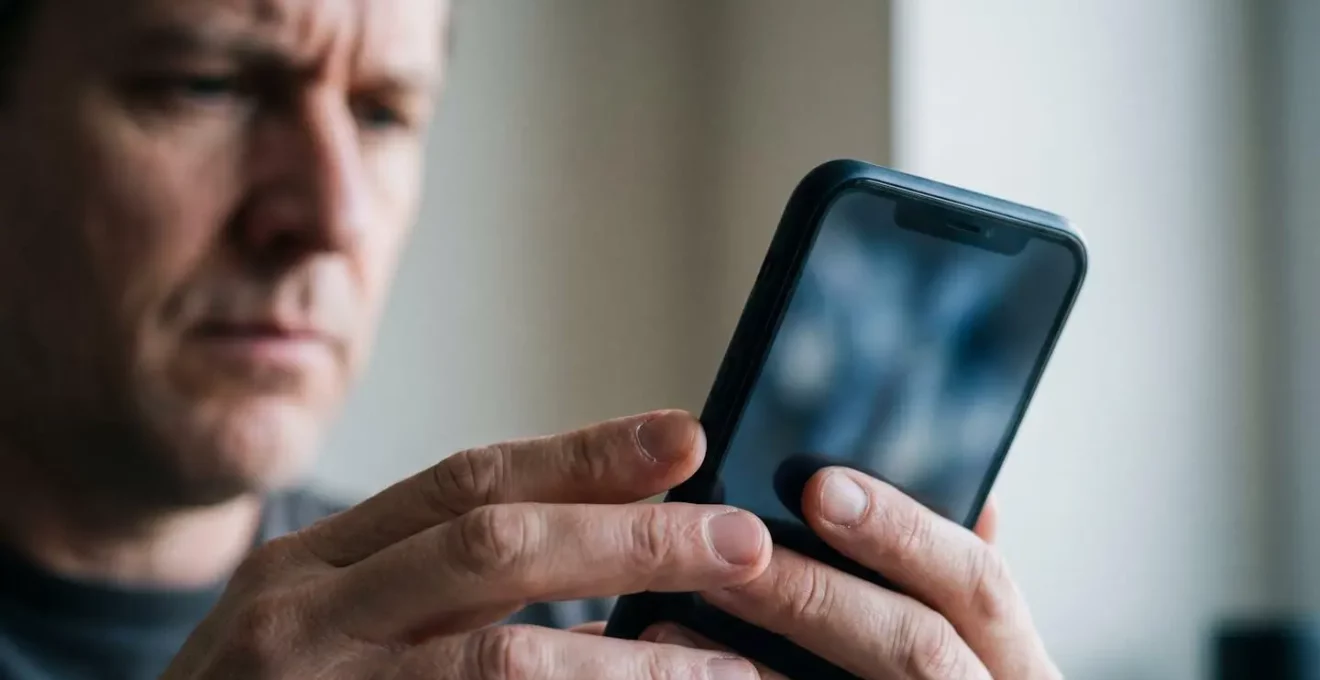
The old advice to “check for typos” is no longer enough. Modern phishing texts aren’t just fakes; they are sophisticated psychological traps designed to bypass your rational mind.
- Scammers exploit the “implicit authority” of text messages, making you react faster and think less than you would with an email.
- They use advanced digital forgery, like look-alike characters in URLs, to create fake websites that are visually identical to your bank’s.
Recommendation: The most effective defence is not just looking for red flags, but understanding the attacker’s methods. The first step is implementing a mandatory 5-second pause before clicking any link in an unexpected message.
That text message alert from ‘Royal Mail’ about a missed delivery, or the urgent warning from ‘HSBC’ about a suspicious transaction, feels undeniably real. It bypasses the usual scepticism you might have for a spam email. You know scams exist, yet your finger hovers over the link. This isn’t a failure of intelligence; it’s a success of design. Modern phishing, or ‘smishing’ as it’s known on SMS, has evolved from clumsy attempts riddled with typos to a highly polished form of psychological warfare waged on your mobile phone.
The common advice—check for spelling errors, be wary of urgent language—is becoming dangerously outdated. Scammers now use templates copied from legitimate companies and exploit technical loopholes to make their sender ID appear as “YourBank” or “DPD”. They don’t want you to think; they want you to react. They leverage panic, curiosity, and the inherent trust we place in the text message format to trigger a cognitive bypass, short-circuiting the rational part of our brain that would normally pause and question the request.
To truly defend yourself, you must move beyond looking for surface-level mistakes. The key is not to get better at spotting fakes, but to understand the architecture of the trap itself. This guide will deconstruct the psychological and technical mechanisms that make these phishing texts so convincing. We will explore why your brain is wired to trust them, how to unmask the sophisticated digital forgeries they employ, and what practical, systematic steps you can take to turn yourself from a potential target into a trained and confident spotter.
To navigate this complex threat landscape, we will break down the core components of modern smishing attacks. This article provides a structured overview, from the psychology of the scam to the most effective technological defences.
Summary: Deconstructing the Modern Phishing Text
- Why Does Your Brain Trust a Fake Royal Mail Text Despite Knowing Scams Exist?
- How to Spot the 3 URL Tricks That Make Fake Banking Sites Look Legitimate?
- Text or Email Scam: Which Is Harder to Distinguish from Genuine Messages?
- The 5-Second Pause That Prevents 90% of Phishing Link Clicks
- How to Report Phishing Texts to 7726 and Actually Help Stop the Scammers?
- The Social Media Quiz Trap That Exposes Your Security Questions to Hackers
- The Approval Prompt Trap That Tricks You into Authenticating the Hacker
- Why Does Adding a Second Factor Block 99% of Account Hijacking Attempts?
Why Does Your Brain Trust a Fake Royal Mail Text Despite Knowing Scams Exist?
The reason a fake Royal Mail text feels more credible than a similar email is due to a powerful cognitive principle: implicit authority. We have been conditioned to see SMS as a channel for important, direct, and verified communication. It’s where we get one-time passcodes from our bank, appointment reminders from the NHS, and delivery notifications. This creates a mental shortcut; our brain automatically assigns a higher level of trust and urgency to a text message, lowering our natural defences before we’ve even read the content.
Scammers exploit this by crafting messages that perfectly mimic the tone and context of these legitimate alerts. This triggers a ‘cognitive bypass,’ where the emotional, reactive part of our brain takes over from the analytical, cautious part. An urgent problem (‘Your parcel is being returned’) combined with a simple solution (‘Click here to reschedule’) creates a powerful impulse to act immediately. Research shows this is brutally effective; some studies indicate that SMS phishing is significantly more effective at getting clicks than email phishing, simply because the medium itself disarms us.
As the StationX Phishing Research Team notes in their “Phishing Statistics 2026” report:
text messages carry more implicit authority than email — a bank alert, delivery notification, or government notice via SMS triggers faster responses with less scrutiny
– StationX Phishing Research Team, Phishing Statistics 2026: Latest Attack Data & Trends
This isn’t about being naive; it’s about having your brain’s own trust mechanisms used against you. The sense of personal violation, urgency, and directness of SMS makes it the perfect delivery system for a psychological trap.
How to Spot the 3 URL Tricks That Make Fake Banking Sites Look Legitimate?
One of the most effective tools in the smishing toolkit is digital forgery, specifically the manipulation of URLs to create convincing fakes. Scammers know that most users only glance at a web address, allowing them to exploit subtle visual tricks that fool the untrained eye. Understanding these techniques is crucial to unmasking the fraud before you enter any personal information. There are three primary methods you need to be able to identify.
This paragraph introduces the visual aspect of the deception. The image below highlights the subtle details in a URL and on a keyboard that can be manipulated, forcing a closer look at what we normally take for granted.
As the image suggests, the devil is in the details. What appears correct at first glance can be a carefully constructed lie. Here are the three main techniques scammers use:
- Subdomain Deception: This is the most common trick. The attacker registers a generic domain (like ‘secure-alert-online.com’) and places the legitimate brand name as a subdomain, creating a URL like `hsbc.secure-alert-online.com`. A quick glance shows ‘hsbc’ at the start, creating a false sense of security. The rule is simple: the true domain is the part that comes just before the `.com`, `.co.uk`, etc.
- The Homograph Attack: A more sophisticated technique that uses look-alike characters from different alphabets. For example, a scammer might register `microsоft.com` using a Cyrillic ‘о’ instead of a Latin ‘o’. Visually, they are identical, but they lead to completely different websites. This type of digital forgery was first demonstrated in a seminal 2001 paper by researchers who registered a fake version of microsoft.com to prove the concept.
- The HTTPS Illusion: Many people believe the padlock icon and ‘https’ mean a website is safe and legitimate. This is dangerously wrong. It only means your connection to the site is encrypted. Scammers can get free SSL certificates for their phishing sites in minutes, allowing them to display the padlock and exploit this common misunderstanding. Never trust a site based on the padlock alone.
Text or Email Scam: Which Is Harder to Distinguish from Genuine Messages?
While email phishing remains a huge problem, smishing via text message is arguably the more dangerous and harder-to-distinguish threat. The fundamental difference lies in the technological maturity and security infrastructure of the two ecosystems. The email world, having battled spam and phishing for decades, has developed robust sender verification standards like SPF, DKIM, and DMARC. These systems work behind the scenes to help verify that an email from ‘yourbank.com’ actually originated from your bank’s servers.
The SMS ecosystem, by contrast, has historically lacked such robust, universally adopted verification standards. This technical gap allows scammers to ‘spoof’ the sender ID with relative ease, making a fraudulent message appear in the same thread as genuine messages from your bank or a delivery company. This instantly lends the scam an unearned layer of authenticity that is much harder to achieve with email, where a suspicious message is more likely to be flagged or sent to a junk folder by sophisticated filters.
This technical weakness, combined with the psychological factor of implicit authority, makes smishing a potent threat. According to recent threat intelligence, the numbers reflect this danger, with smishing attacks making up a significant portion of all mobile phishing incidents. As security researchers point out, the email ecosystem has established anti-spoofing standards, whereas the SMS ecosystem has historically lacked robust sender verification, creating a perfect environment for scammers to operate with perceived legitimacy.
Ultimately, the lack of a visible “from” address and the ability for scam texts to merge with legitimate conversations make them far more challenging for the average person to scrutinise. You are not just fighting a deceptive message; you are fighting a weakness in the communication platform itself.
The 5-Second Pause That Prevents 90% of Phishing Link Clicks
The primary weapon of a phishing attack is not the link itself, but the artificially induced sense of urgency that compels you to click it. Scammers need to short-circuit your rational thinking. Your most powerful defence, therefore, is to deliberately re-engage it. The ‘5-Second Pause’ is a simple but profoundly effective mental model designed to do just that. Before your finger even moves towards the link, you must stop and force yourself to conduct a rapid mental security check.
This pause breaks the cycle of stimulus-and-reaction that scammers rely on. It gives the slower, more analytical part of your brain a chance to catch up with your initial emotional response of panic or curiosity. Instead of being a passive victim of the scammer’s timeline, you retake control. During these five seconds, you aren’t trying to perform a deep forensic analysis; you are simply asking three basic questions to assess the legitimacy of the contact. This small injection of critical thought is often all that is needed to see the trap for what it is.
This practice turns a reactive moment into a proactive security habit. By consistently applying this pause, you train your brain to automatically question unsolicited requests, dramatically reducing your vulnerability to social engineering.
Your 5-Second Mental Security Checklist
- Did I expect this message? Legitimate organisations rarely send unsolicited urgent requests via text. Your bank, the DVLA, or Royal Mail will not initiate a conversation about a problem for the first time over SMS with a link.
- Is it creating a sense of urgency? Scammers strive to trigger alarm and force immediate action. Phrases like “account suspended,” “action required,” or “failure to reply will result in…” are giant red flags designed to make you panic and bypass rational thought.
- Is the request unusual? Your bank will never text you a link to log in or ask for your PIN, password, or a one-time login code. Any message asking for credentials or payment information is almost certainly a scam.
How to Report Phishing Texts to 7726 and Actually Help Stop the Scammers?
Deleting a phishing text and blocking the number feels like a victory, but it’s a small one. It’s personal defence. To make a real impact, you need to engage in community defence. In the UK, the most effective action you can take is to report the scam text to the free 7726 ‘Spam’ reporting service run by mobile operators. This simple act feeds crucial intelligence into a system designed to protect millions.
When you report a message, you are doing more than just getting it off your phone. You are providing the malicious sender’s number and the content of the message to a powerful automated system. This data is used by mobile network operators to identify and block the scammer’s number at the network level, preventing them from sending the same message to other customers. It’s a crowd-sourced defence mechanism that is surprisingly effective.
The process is straightforward and consistent across all major UK networks:
- Do not click the link. First and foremost, do not interact with the content of the message.
- Forward the text to 7726. On most phones, you can long-press the message and find an option to ‘Forward’. Send the entire message to the number 7726 (which spells SPAM on a keypad).
- Report the sender’s number. You will receive an automated reply asking for the number the message came from. Reply to this text with the scammer’s phone number or sender ID.
This data is then shared anonymously with security agencies and threat intelligence firms, helping them to map out the scammers’ infrastructure (like servers and domains) and work towards taking it down. While it may feel like a small act, each report is a data point that helps build a bigger picture and strengthens the collective shield against these attacks.
The Social Media Quiz Trap That Exposes Your Security Questions to Hackers
The information needed to hijack your accounts isn’t always gathered through a direct phishing attack. Scammers are patient data miners, and one of their most effective, low-effort tools is the seemingly innocent social media quiz. Posts that go viral asking “What was your first car?” or “What’s your ’90s pop star name?’ (based on your mother’s maiden name and the street you grew up on)” are not just harmless fun; they are often thinly veiled attempts to crowdsource the answers to common security questions.
This paragraph highlights how seemingly disconnected personal data can be weaponised. The image below represents the trail of personal information we leave behind, which can be pieced together by attackers.
As the visual suggests, isolated pieces of information can be gathered and assembled to create a surprisingly complete picture of you. Each answer you publicly post—your pet’s name, your birth town, your favourite teacher—is another piece of the puzzle.
Case Study: The Password Recovery Form in Disguise
Think about a viral quiz that asks for your first pet’s name, your mother’s maiden name, and the street you grew up on. These are not random questions; they are three of the most common “password recovery” questions used by banks, email providers, and other online services. By participating, users are voluntarily and publicly handing over the keys to their digital kingdom. Scammers can either run these quizzes themselves or scrape the data from the comments of popular posts. They then combine this information with data from other breaches (like email addresses and phone numbers) to build a comprehensive profile, making an account takeover attempt significantly easier.
The lesson is clear: treat any request for personal history, no matter how trivial it seems, with suspicion. In the context of online security, there is no such thing as an insignificant piece of personal data. Your high school mascot is not just a nostalgic memory; it’s a potential password reset key.
The Approval Prompt Trap That Tricks You into Authenticating the Hacker
Multi-Factor Authentication (MFA) is a critical layer of security, but cybercriminals have developed a social engineering technique to turn it against you: the MFA Fatigue or ‘Prompt Bombing’ attack. This attack is simple, requires no sophisticated hacking, and preys on the one weakness no security system can patch: human nature. The attack works after a criminal has already obtained your password, often through a previous phishing attack or a data breach.
With your password in hand, the attacker attempts to log in to your account from their own device. This triggers a legitimate MFA push notification on your phone: “Approve this sign-in?”. They then repeat this process over and over, sometimes dozens or even hundreds of times, flooding your phone with approval requests. The goal is to annoy, confuse, and exhaust you until you eventually give in and tap ‘Approve’ just to make the notifications stop. In that moment, you have personally held the door open for the hacker.
This method has become disturbingly common, with the Verizon Data Breach Investigations Report highlighting a significant increase in attacks that exploit MFA weaknesses. As the University of Chicago’s Information Security Office warns, it’s a purely psychological attack on a technical defence.
Case Study: The 2022 Uber Breach
A high-profile example of MFA Fatigue in action was the 2022 breach at Uber. Attackers, believed to be affiliated with the Lapsus$ group, purchased a contractor’s stolen corporate password on the dark web. They then initiated the ‘prompt bombing’ attack, bombarding the contractor with push notifications for over an hour. The attacker even contacted the victim via WhatsApp, pretending to be from Uber’s IT department and telling him the notifications would stop once he approved one. He eventually did, giving the attackers full access. This case, detailed in reports on the incident, shows how a simple MFA fatigue attack can succeed once a password has been compromised.
The only defence against this is absolute vigilance. If you receive an MFA prompt you did not initiate, it is a definitive sign that your password has been compromised. You should immediately deny the request, log in to your account (via a trusted, saved bookmark, not a link), and change your password.
Key Takeaways
- Phishing texts exploit our brain’s trust in the SMS format, bypassing rational thought with a false sense of urgency and authority.
- Scammers use sophisticated URL tricks like subdomains and look-alike characters (homographs) to create visually convincing fake websites.
- The most effective immediate defence is the “5-Second Pause”—a deliberate mental checklist to break the cycle of panic and reaction before clicking.
- While no single method is perfect, true Multi-Factor Authentication (MFA) remains the single most effective barrier against account takeover.
Why Does Adding a Second Factor Block 99% of Account Hijacking Attempts?
After exploring the myriad of tricks scammers use, the security landscape can feel overwhelming. However, there is one defensive measure that stands head and shoulders above all others in its effectiveness: Multi-Factor Authentication (MFA). The concept is simple: it supplements something you know (your password) with something you have (your phone or a physical key) or something you are (your fingerprint). This second factor creates a formidable barrier that neutralises the most common attack vectors.
Even if a scammer successfully phishes your password through a fake website or buys it on the dark web, they are stopped dead in their tracks. Without physical access to your phone to receive the SMS code or approve the push notification, the stolen password becomes useless. The numbers supporting this are staggering. According to Microsoft research, enabling multi-factor authentication blocks 99.9% of automated attacks on accounts. It is the single most impactful security step an individual can take.
Based on our studies, your account is more than 99.9% less likely to be compromised if you use MFA.
– Alex Weinert, Microsoft Group Program Manager for Identity Security and Protection
However, it’s crucial to understand that not all MFA methods are created equal. Some are more resistant to phishing and social engineering than others. This comparative analysis from security firm Rublon shows a clear hierarchy of protection.
| MFA Method | Security Level | Attack Prevention Rate | Phishing Resistant |
|---|---|---|---|
| SMS Code | Basic | 96-100% of automated bots | No |
| Push Notification | Moderate | 99% of bulk phishing | No (vulnerable to fatigue) |
| TOTP App Codes | Strong | 99%+ of attacks | Partially |
| Physical Security Key (FIDO2) | Highest | 100% of phishing | Yes (unphishable) |
As the table demonstrates, while any MFA is better than none, moving away from SMS-based codes towards authenticator apps or, ideally, physical security keys, offers the highest level of protection. While SMS and Push Notifications can be vulnerable to social engineering, they still prevent the vast majority of automated, large-scale attacks.
The first step to a more secure digital life is to go into the security settings of your key online accounts—especially your primary email—and enable the strongest form of MFA available. It is the most powerful and proactive step you can take today.