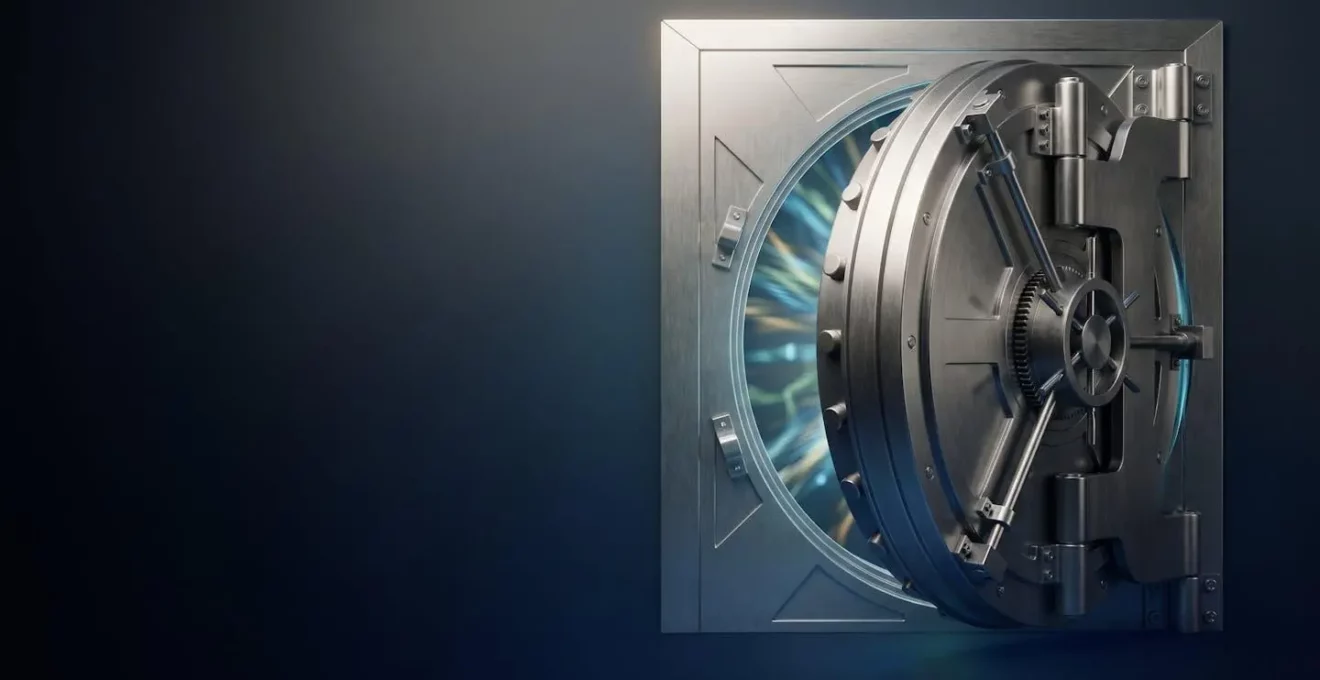
The “military-grade” encryption protecting your phone is theoretically unbreakable, but its real-world security often fails due to simple, avoidable human error.
- The AES-256 standard itself is a digital fortress, secure against any currently known brute-force attack.
- However, this fortress is frequently undermined by weak access keys (like 4-digit PINs) and flawed implementations (like unencrypted cloud backups).
Recommendation: Shift your focus from the encryption standard itself to strengthening the weakest links in your personal “chain of trust”—your passwords, app choices, and backup settings.
You’ve seen the claim on the box of a new smartphone, a “secure” messaging app, or a high-speed SSD: “Protected by 256-bit AES Encryption.” It sounds impressive, invoking images of government agencies and unbreakable codes. This is what marketers call “military-grade encryption,” a term designed to make you feel secure. And in a purely mathematical sense, they aren’t wrong. The technology is incredibly robust, a digital fortress built on complex cryptographic principles.
But this is where most explanations stop, leaving you with a vague sense of security without any real understanding. The common advice is to simply “look for AES-256,” as if it were a magic seal of absolute protection. This article takes a different approach. We’ll acknowledge the strength of the fortress, but then we’ll walk around its walls to show you the unlocked gates, the poorly guarded side entrances, and the treacherous terrain surrounding it. Because if the true key to your data’s safety wasn’t the complexity of the lock, but the simple, everyday habits you control?
This guide will demystify AES-256 by focusing on its practical implications. We will explore the astronomical difficulty of breaking the cipher itself, but more importantly, we will dissect the common ways its protection is rendered useless. From your choice of PIN to your understanding of cloud backups, you are the most critical part of your own security. By the end, you won’t just know what AES-256 is; you’ll have the confidence and knowledge to ensure its power is actually working for you.
To give you a clear and comprehensive understanding, this article is structured to build your knowledge from the ground up. We’ll start with the theoretical power of AES-256 and progressively move towards the practical vulnerabilities you need to manage in your daily digital life. Here is a summary of what we will cover.
Summary: Decoding AES-256 and Your Role in Real-World Data Security
- Why Would It Take Longer Than the Universe’s Age to Crack AES-256?
- How to Check Whether an App’s Encryption Claim Uses Actual AES Standards?
- Hardware Encryption Chips or Software AES: Which Protects Your Phone Better?
- The 4-Digit PIN Mistake That Makes Your AES-256 Encryption Useless
- Which Personal Files Require Encryption Beyond Your Device’s Default?
- Why Can Your Email Provider Read Your Messages Despite “Encryption” Claims?
- Why Don’t All NVMe SSDs Perform Equally Despite Similar Speed Claims?
- Is Your Messaging App Actually Encrypted or Just Claiming to Be?
Why Would It Take Longer Than the Universe’s Age to Crack AES-256?
The “256” in AES-256 refers to the length of the secret key used to encrypt and decrypt data. Each additional bit in a key doubles the number of possible combinations. While AES-128 (with a key space of 2¹²⁸) is already considered secure for the foreseeable future, AES-256 takes this to a level that is difficult for the human mind to comprehend. It doesn’t just have double the keys; it has 2¹²⁸ times more keys than AES-128. The total number of possible keys is a 78-digit number, often compared to the number of atoms in the known universe.
This astronomical number is what leads to the claims about cracking time. A “brute-force” attack is the digital equivalent of trying every single key until the correct one is found. Even if you had a supercomputer capable of checking billions of keys per second, it would still take an impossibly long time. Current computational analysis suggests that cracking a single AES-256 key by brute force would take a hypothetical supercomputer around 3.67×10^55 years. For context, the universe is only estimated to be about 13.8 billion years old.
This is the cornerstone of theoretical security. In a laboratory setting where an attacker only has the encrypted data and must guess the key, AES-256 is, for all practical purposes, unbreakable. This is why governments and high-security industries trust it for protecting top-secret information. However, this theoretical invincibility is only one part of the security puzzle. In the real world, attackers rarely, if ever, try to break the cipher itself. They look for easier ways in.
How to Check Whether an App’s Encryption Claim Uses Actual AES Standards?
Many services use vague marketing terms like “military-grade” or “bank-level” encryption to lull users into a false sense of security. These phrases mean nothing without specifying the actual standard used. True security lies in transparency and proper implementation. When you see a service claiming to use encryption, you need to become a digital detective and look for specific green flags that indicate genuine security, rather than just security theatre.
The first step is to look for explicit mentions of the standard, such as “AES-256” or “AES-128.” Beyond that, you should investigate the implementation integrity. A strong cipher is useless if it’s implemented poorly. Look for a security “whitepaper” or technical documentation on the company’s website. The presence of such a document is a good sign; its absence is a red flag. Within this documentation, look for references to well-known, peer-reviewed cryptographic libraries (like OpenSSL) and protocols (like TLS 1.3 or the Signal Protocol). These are the building blocks of good security.
Finally, the gold standards of transparency are open-source code and third-party audits. If a service’s encryption code is open-source, it means independent experts worldwide can inspect it for flaws. If they have been audited by a reputable cybersecurity firm, it provides a layer of verified trust. An app that is proud of its security will make this information easy to find.
Case Study: The Transparency of Signal and ProtonMail
Signal and ProtonMail represent best practices in cryptographic transparency. Both services provide detailed security whitepapers that specify their use of AES-256 encryption, reference peer-reviewed cryptographic protocols (like the Signal Protocol), and undergo regular third-party security audits. Their open-source implementations allow the security community to verify that AES is correctly implemented within robust end-to-end encryption frameworks, not just used as a marketing claim. This level of openness is what separates genuine security from mere advertising.
Action Plan: Auditing a Service’s Encryption Claims
- Check for explicit mentions of ‘AES-256’ or ‘AES-128’, not just vague terms like ‘military-grade encryption’.
- Search for the service’s security whitepaper or technical documentation that references standard cryptographic libraries like OpenSSL.
- Look for green flags like ‘open-source’ and ‘peer-reviewed’ which indicate transparency and community verification.
- Verify if the service has undergone third-party security audits from recognised cybersecurity firms that validate the implementation.
- Distinguish between the cipher (AES-256) and the protocol; look for modern protocols like TLS 1.3, not just a strong cipher claim.
Hardware Encryption Chips or Software AES: Which Protects Your Phone Better?
The encryption on your device can be handled in two main ways: through software, where the main processor (CPU) does all the work, or through dedicated hardware, using a special security chip. While both use the same AES-256 algorithm, the method of implementation creates a significant difference in the level of protection. For ultimate security, hardware-based encryption is unequivocally superior.
When encryption is performed in software, the cryptographic keys must, at some point, exist in the system’s main memory (RAM) for the CPU to use them. This creates a potential window of vulnerability. If an attacker can compromise the operating system with sophisticated malware, they might be able to access these keys while they are in memory. Software encryption is also susceptible to performance overhead, as it consumes CPU cycles that could be used for other tasks.
In contrast, modern smartphones from Apple (with the Secure Enclave) and Google (with the Titan M chip) use dedicated hardware security modules. These are separate, isolated processors designed for one purpose: to handle cryptographic operations securely. As Android Authority highlights, the key is isolation.
The TEE isolates cryptographic keys and never reveals them to the user or even the operating system.
– Android Authority, What is the Titan M2 security chip in Google’s Pixel phones?
This hardware is specifically hardened against physical attacks. As research on mobile hardware security modules shows, these chips are designed to resist side-channel attacks, including power analysis and fault injection, where attackers try to glean information by monitoring the chip’s physical behaviour. This creates a vault within your phone that even the main operating system cannot access, providing a much stronger link in your device’s chain of trust.
The 4-Digit PIN Mistake That Makes Your AES-256 Encryption Useless
Imagine owning a bank vault with a door made of a metre of solid steel, protected by an impossibly complex lock. Now imagine “securing” that vault with a simple padlock you bought at a pound shop. This is the perfect analogy for protecting a device with AES-256 encryption but using a simple 4-digit PIN to unlock it. The PIN becomes the “human-firewall,” and it is often the weakest link in the entire security chain.
We’ve established that brute-forcing the AES-256 key is impossible. But attackers don’t need to. They only need to brute-force your PIN. While security research demonstrates that a 4-digit PIN has only 10,000 possible combinations, the reality is even worse. People tend to choose predictable PINs like ‘1234’, ‘0000’, or birth years, drastically reducing the number of guesses an attacker needs. Even with a 6-digit PIN, the number of combinations is only one million—a trivial number for a computer to cycle through in minutes if not seconds, especially if the device doesn’t have strict limits on failed attempts.
As the image above so powerfully illustrates, the strength of the vault door is irrelevant if the lock on it is flimsy. Your device’s encryption is the vault door; your PIN or password is the lock. When you unlock your phone, you are authorising the hardware security module to decrypt the master key that gives access to all your data. If an attacker can guess your PIN, they gain the same authorisation. All the power of AES-256 is bypassed because they didn’t attack the encryption; they attacked the access method. This is the essence of practical security versus theoretical security.
Which Personal Files Require Encryption Beyond Your Device’s Default?
While modern smartphones provide robust full-disk encryption by default, this protects your data primarily when the device is powered off or locked. Once you unlock your phone, the data is accessible to you—and potentially to any app you’ve granted permissions to, or to the cloud services they sync with. For highly sensitive information, relying solely on device-level encryption is not enough. You need to consider file-level encryption for specific categories of data, creating an extra, independent layer of security.
This is particularly crucial for files that you might store in cloud services like Google Drive, Dropbox, or iCloud. While these services encrypt data on their servers, they often hold the keys, meaning the provider (or law enforcement with a warrant) can access your files. If you encrypt the file *before* you upload it, only you hold the key, rendering the file unreadable to anyone else. This is essential for protecting your most private information from data breaches or provider access.
Think about the types of data that would be catastrophic if exposed. These are the candidates for an extra layer of protection. Here are some key examples of files and data that warrant their own dedicated encryption, separate from your device’s default settings:
- Cryptocurrency wallet seed phrases: These should never be stored in a plain text file or a cloud-synced note. Use dedicated offline storage like an encrypted USB drive or a hardware wallet that uses AES-256 internally.
- Legal and medical documents: Scans of contracts, wills, or sensitive health records should be stored in an encrypted container using tools like VeraCrypt. This keeps them isolated even if your main cloud account is compromised.
- Financial records and tax documents: A spreadsheet of your passwords or a folder of tax returns contains a wealth of information for identity thieves. Encrypt them at the file level before storing or backing them up.
- Scans of identity documents: Copies of your passport or driver’s licence should be kept in an encrypted vault, not in your main photo library which is likely synced to the cloud.
Why Can Your Email Provider Read Your Messages Despite “Encryption” Claims?
Nearly all major email providers like Gmail and Outlook will proudly state that they use encryption to protect your messages. This claim is true, but it is critically misleading because it conflates two very different types of security: encryption-in-transit and end-to-end encryption. Understanding this difference is essential for knowing who can actually read your emails.
Most standard email services use Transport Layer Security (TLS) encryption. You can think of TLS as an armoured truck. When you send an email, it’s placed in the truck (encrypted) and is safe while it travels over the internet to the provider’s server. An eavesdropper on the public Wi-Fi at a café can’t read it. However, when the truck arrives at the depot (the provider’s server), the doors are opened, and the contents are taken out (decrypted). Your email provider can now read your email to scan it for spam, display targeted advertising, and enable search functionality. The same process happens in reverse when the email is sent to your recipient.
End-to-end encryption (E2EE) works fundamentally differently. With a service like ProtonMail, the email is encrypted on your device *before* it’s even put in the armoured truck, and it can only be decrypted by the intended recipient who holds the unique key. The provider’s servers only ever store an unreadable, encrypted blob. They cannot access the content, even if they wanted to.
Case Study: Gmail’s TLS vs. ProtonMail’s E2EE
Gmail uses TLS encryption to protect emails in transit between your device and Google’s servers. This is like an armoured truck securely transporting mail. However, once emails arrive at Google’s servers, they are decrypted and accessible to Google for spam filtering, ad targeting, and search functionality. In contrast, ProtonMail implements end-to-end encryption where emails are encrypted on the sender’s device and can only be decrypted by the intended recipient. This means ProtonMail’s servers only store encrypted data they cannot access—a fundamentally different security model serving a different purpose.
Why Don’t All NVMe SSDs Perform Equally Despite Similar Speed Claims?
When you shop for a high-speed NVMe Solid State Drive (SSD), you’re bombarded with impressive read/write speed claims, often in the thousands of megabytes per second. Many of these drives also advertise security features like AES-256 encryption. However, just as with phones, the *implementation* of this encryption can have a significant impact on performance, leading to situations where two drives with similar speed ratings perform very differently in the real world.
The difference again comes down to hardware versus software encryption. Some lower-cost SSDs implement encryption via software or firmware. In this model, the drive’s main controller or the computer’s CPU has to handle both the data transfer and the encryption/decryption process. While modern processors are very fast, this still introduces a small but measurable amount of overhead, which can sap performance, especially during intense, sustained read/write operations. This CPU usage can impact the overall responsiveness of your system.
Higher-end, self-encrypting drives (SEDs) take a different approach. They feature a dedicated cryptographic processor built directly into the drive’s controller hardware. This chip’s sole job is to handle AES encryption and decryption. Because the process is offloaded to specialised hardware, it happens at the full speed of the drive’s interface with no performance penalty. It is well-understood that hardware-based AES encryption, such as that compliant with the TCG Opal 2.0 standard, has virtually zero performance penalty, while software-based encryption will always have some CPU overhead. This means all data is encrypted by default the moment it is written and decrypted the moment it is read, with no slowdown and no burden on your computer’s main processor.
Key Takeaways
- AES-256 itself is theoretically unbreakable, with cracking times far exceeding the age of the universe.
- The real security risks come from weak implementations and human error, not the cipher itself. A strong password is more important than the bit number.
- Distinguish between “encryption-in-transit” (which providers can read) and “end-to-end encryption” (which they cannot). This is crucial for email and messaging privacy.
Is Your Messaging App Actually Encrypted or Just Claiming to Be?
In the world of messaging apps, “encryption” is the most potent marketing term. Yet, as with email, the word is often used in ways that obscure the truth. Not all encryption is created equal. The only standard that provides genuine privacy from the service provider, your carrier, and potential eavesdroppers is end-to-end encryption (E2EE). Any app that does not offer E2EE by default for all chats should not be considered truly private.
Many popular apps fall into a tricky middle ground. They offer E2EE, but only as an optional, opt-in feature that most users are unaware of or never activate. This creates a dangerous illusion of security. Users believe their conversations are private, when in fact the vast majority of them are stored on the company’s servers in a readable format. The security of messaging apps can be classified into three distinct tiers.
Case Study: The WhatsApp Cloud Backup Vulnerability
WhatsApp implements robust end-to-end encryption for messages in transit using the Signal Protocol with AES-256. However, the default cloud backup feature creates a significant vulnerability: messages backed up to Google Drive (Android) or iCloud (iOS) are stored using the cloud provider’s encryption, not WhatsApp’s end-to-end encryption. This means Google or Apple, and law enforcement with proper warrants, can access these backups, effectively creating an unencrypted copy of conversations that users believe are fully protected. This illustrates how strong E2EE can be completely undermined by choices made in the wider app ecosystem, reinforcing the need for users to actively manage their settings.
The following table, based on an analysis from security experts, breaks down the different tiers of security you’ll find in common messaging apps. It’s a critical tool for making informed decisions about which platform to trust with your private conversations.
| Tier | Security Level | Apps | Encryption Status | Key Limitation |
|---|---|---|---|---|
| Tier 1 | Best | Signal, WhatsApp (default chats) | End-to-end encryption by default for all conversations | WhatsApp collects extensive metadata (contacts, usage patterns, location) |
| Tier 2 | Good but Tricky | Telegram (Secret Chats), Facebook Messenger (Secret Conversations) | End-to-end encryption available but must be manually enabled | Most users never activate the secure mode, leaving messages vulnerable |
| Tier 3 | Avoid for Sensitive Data | SMS, Instagram DMs, Standard Email | No end-to-end encryption available | Messages readable by carriers, platform providers, and potential interceptors |
Ultimately, the chain of trust for your digital life doesn’t end with a software developer or a hardware manufacturer; it ends with you. Understanding that AES-256 is a powerful but not magical tool is the first step. The next is to actively strengthen the human elements of your security: use strong, unique passwords or passphrases, enable two-factor authentication, be sceptical of app permissions, and be mindful of what you back up to the cloud. Start today by reviewing the PIN on your phone and the privacy settings of your primary messaging app.